
How to Choose a 3D Printer for Functional Parts

Picking the right 3D printer for parts isn't about the flashiest specs. It's about matching material strength and tolerance to what your components actually endure. Here's how to decide.
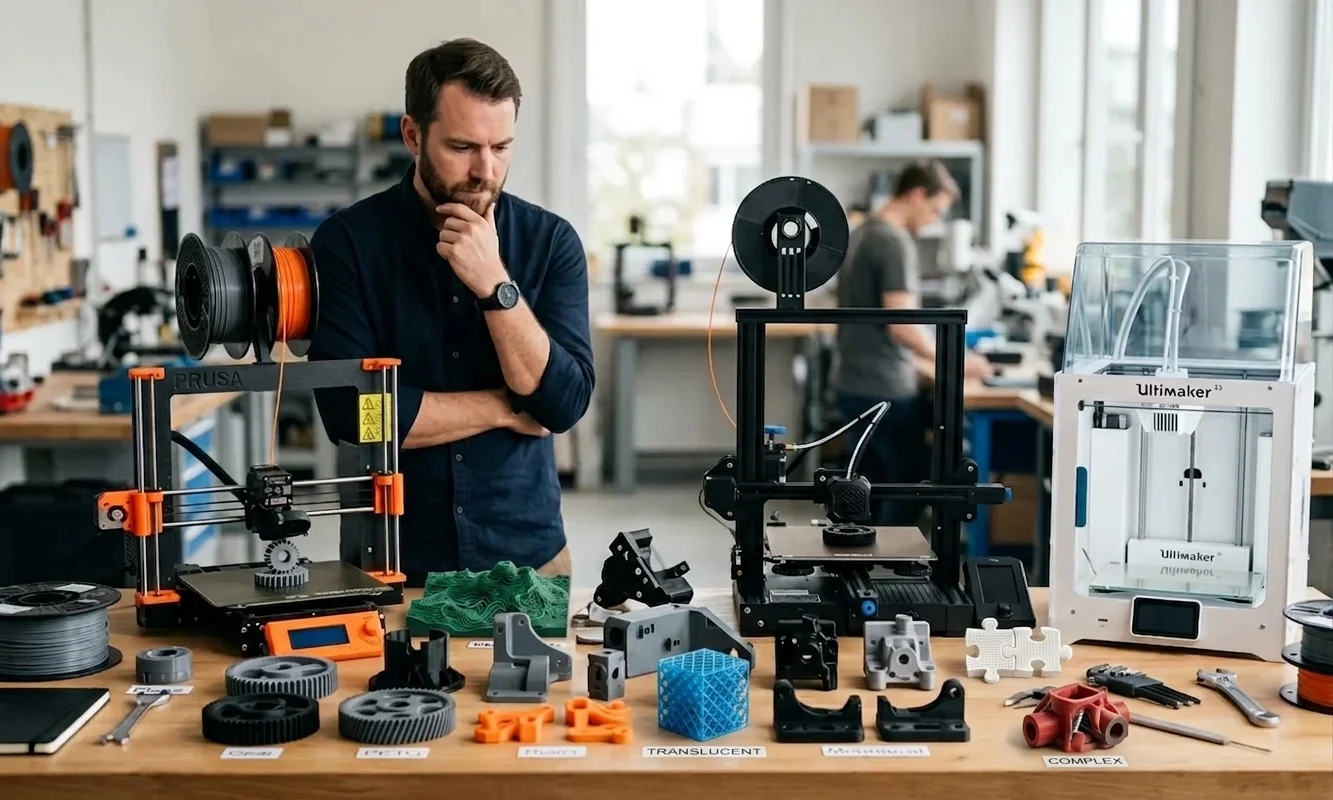
A bracket that looks flawless can still snap the first time you tighten a bolt. That failure rarely comes from poor design alone. Most broken functional prints trace back to choosing the wrong machine for the job. If your goal is to produce parts that carry load, resist heat, or fit with predictable tolerances, the printer matters just as much as the model.
The best 3D printer for parts matches the mechanical demands of the finished component before you think about print speed or convenience. A decorative PLA print can succeed on almost any entry-level machine, but a nylon gearbox mount or ABS enclosure demands stable temperatures, strong layer adhesion, and consistent dimensional accuracy.
Functional printing serves makers building workshop fixtures, product designers validating prototypes, and engineers producing low-volume production parts. Each group faces the same decision: identify what the part must survive, then select hardware that supports those requirements instead of forcing compromises later.
Across hundreds of community reports and manufacturer test data, the same pattern appears. Prints fail far more often from poor material and printer pairing than from slicing mistakes alone. Start with the application, not the marketing sheet. That single habit eliminates many expensive purchasing mistakes before they happen.
3D Printer for PartsDefine What Your Parts Must Do
Successful functional printing begins with a specification sheet, even if you write it on a sticky note. Spending fifteen minutes defining requirements often saves days of failed prototypes. We found that teams who documented performance goals before printing reached acceptable prototypes in fewer iterations, though results naturally varied by project complexity.
Start by answering these questions before comparing printers:
- What load must the part carry?
- Will it face repeated impacts or constant stress?
- Does heat exceed 60°C?
- Will chemicals, oil, or UV exposure matter?
- What dimensional tolerance must mating surfaces achieve?
- How large is the finished component?
- How many copies will you produce?
Each answer changes your hardware requirements. A cosmetic housing may work perfectly in PLA, while a motor bracket exposed to engine heat immediately pushes you toward ABS, Polycarbonate, or Nylon. Tight tolerance requirements may demand a printer capable of repeatable positioning within roughly ±0.1 mm instead of relying on manual calibration.
Production volume also shifts the calculation. Printing one replacement clip each month differs dramatically from manufacturing fifty identical fixtures every week. Higher throughput favors reliable automation and enclosed machines that reduce environmental variation between jobs.
Watch out for hidden requirements. Designers frequently focus on tensile strength yet overlook fastening methods. Threaded inserts, press-fit bearings, and gasket surfaces all depend on dimensional accuracy more than raw material strength.
Material selection matters just as much as hardware, so review this in-depth Best PLA Filament guide before printing structural prototypes. Even the strongest printer cannot compensate for filament that absorbs moisture or prints outside its recommended temperature window.
3D Printer for PartsMatch the Technology to the Job
Printer technology determines far more than surface finish. It controls how layers bond, what engineering materials you can process, and how predictable the finished dimensions remain after cooling. Selecting between FDM, SLA, and SLS becomes much easier once you connect each process to the actual job rather than treating every machine as interchangeable.
FDM remains the default choice for most structural applications because it supports engineering thermoplastics that combine strength with reasonable operating costs. Modern enclosed CoreXY machines comfortably process ABS, Nylon, Polycarbonate, and Carbon Fiber reinforced blends when paired with an all-metal hotend and controlled chamber temperatures. Those materials produce brackets, jigs, housings, and production tooling that survive real mechanical work.
Resin printers using SLA or MSLA technology excel in another direction. They deliver exceptional dimensional accuracy, smooth surfaces, and intricate detail that filament systems rarely match. Dental models, precision fixtures, and highly detailed prototypes benefit immediately. Standard resin, however, usually lacks the impact resistance needed for demanding structural applications unless you switch to specialized engineering formulations.
SLS occupies a different category. Instead of building layers from filament or liquid resin, it fuses powdered Nylon with a laser. Because surrounding powder supports every layer, SLS creates complex internal geometries without traditional support structures. The resulting parts also display more consistent strength across multiple directions because layer orientation influences performance less than it does with FDM.
The table below summarizes where each technology fits best.
| Technology | Primary Strength | Best Materials | Typical Use Cases | Main Limitation |
|---|---|---|---|---|
| FDM | Strong structural parts | ABS, Nylon, Polycarbonate, Carbon Fiber | Functional prototypes, tooling, brackets | Surface finish depends on layer height |
| SLA | High precision and detail | Engineering resin, tough resin | Precision prototypes, molds, medical models | Standard resin remains relatively brittle |
| SLS | Uniform mechanical properties | Nylon powders | Production parts, complex geometries | High machine and operating cost |
Community testing consistently shows that enclosed FDM systems offer the strongest balance between affordability and engineering capability for small shops. Industrial users often migrate toward SLS once production volume justifies the investment, while SLA fills specialized roles where precision outweighs toughness.
Understanding the tradeoffs between filament and resin systems becomes easier with this advanced FDM vs SLA breakdown focused on strength and precision.

3D Printer for PartsMistakes That Wreck Functional Prints
An expensive printer cannot rescue poor planning. Most failed functional parts trace back to a handful of predictable mistakes that appear repeatedly across maker forums and engineering workshops. The good news is that each one has a straightforward fix.
Buying an open-frame printer for ABS ranks near the top of the list. ABS shrinks as it cools, and uneven temperatures cause corners to lift from the build plate. Even slight drafts from an air conditioner can introduce enough thermal stress to warp a large enclosure. If you expect to print ABS regularly, choose a machine with a fully enclosed build chamber or add a well-designed enclosure before attempting structural parts.
Skipping a hardened nozzle creates another costly problem. Carbon Fiber filled filaments wear standard brass nozzles surprisingly fast. After only a few kilograms of abrasive filament, the nozzle diameter may increase enough to reduce dimensional accuracy and produce inconsistent extrusion. Watch out for gradually declining print quality. Many users mistake nozzle wear for slicer issues. Install a hardened steel or tungsten carbide nozzle before printing abrasive composites.
Resin buyers often assume every SLA printer produces durable mechanical components. Standard photopolymer resin favors detail instead of toughness. Drop a standard resin bracket onto a concrete floor and it may crack immediately. Engineering resins improve impact resistance, but they also increase material costs and often require additional validation for demanding applications.
Build volume deserves equal attention. Designers sometimes purchase compact desktop printers because most early prototypes fit comfortably. Six months later, the project expands to larger housings or longer fixtures that require awkward splitting and assembly. Measure your largest expected component, then add enough margin for supports and future revisions.
If your functional parts show weak layers or inconsistent extrusion, Pick3DP's quick fix guide can help diagnose the issue quickly.
3D Printer for PartsSpecs That Actually Decide It
Marketing brochures often emphasize speed, touchscreens, and cameras. Those features improve convenience, but they rarely determine whether a structural part succeeds. Four hardware specifications deserve far more attention.
First, look for a true enclosure. Stable ambient temperatures reduce warping, improve layer adhesion, and produce more consistent dimensions when printing ABS, Nylon, and Polycarbonate. An enclosed printer such as the Bambu Lab P1S handles engineering materials far more reliably than an equivalent open-frame machine.
Active chamber heating raises the standard even further. Instead of simply trapping warm air, dedicated heaters maintain controlled chamber temperatures throughout long prints. The H2D, for example, offers an actively heated chamber reaching approximately 65°C, which significantly reduces internal stresses when processing demanding engineering polymers.
Hotend capability matters just as much. An all-metal hotend rated for temperatures around 300°C or higher expands material compatibility beyond basic PLA and PETG. Without that temperature range, Polycarbonate and advanced Nylon blends remain difficult or impossible to print successfully.
The extrusion system also deserves careful inspection. Hardened steel gears and wear-resistant filament paths tolerate Carbon Fiber materials without rapid degradation. Standard components wear much faster under abrasive composites.
Finally, evaluate dimensional accuracy instead of relying solely on advertised layer height. Layer height affects surface appearance. Dimensional accuracy determines whether bearings press into place, fasteners align correctly, and mating parts assemble without filing or sanding. Manufacturers often publish repeatability figures, but independent testing and community reports provide a more realistic picture of long-term performance.
Engineers considering high-speed enclosed CoreXY systems should read our detailed Bambu Lab H2D Review for real-world performance insights.
3D Printer for PartsMatch Budget to Real Machines
Budget influences your options, but it should never become the starting point. Begin with the material and performance requirements, then identify the least expensive printer that satisfies them. That approach usually costs less than buying an entry-level machine and replacing it six months later.
| Budget Tier | Recommended Machine | Best Fit | Practical Limit |
|---|---|---|---|
| Entry Level | Ender-3 Pro | PLA, PETG, light-duty prototyping | Open frame limits reliable ABS and Nylon printing |
| Mid Range | Bambu Lab P1S | Engineering plastics, enclosed production work | No active chamber heating for the most demanding high-temperature materials |
| Premium | Bambu Lab H2D | High-temperature engineering polymers and multi-material production | Price exceeds the needs of casual makers |
| Professional Resin | Formlabs Form 3L | Large, accurate resin prototypes and production tooling | Resin workflow and material costs remain higher than FDM |
The Ender-3 Pro still offers excellent value if you mainly print fixtures, templates, or simple prototypes from PLA or PETG. Once projects demand ABS, Carbon Fiber composites, or consistent Nylon performance, an enclosed platform becomes a far smarter investment.
Small engineering shops often settle on the P1S because it balances speed, reliability, and engineering material support at a manageable price. Teams producing demanding production parts or advanced multi-material assemblies gain meaningful advantages from the H2D's heated chamber and expanded capabilities. Meanwhile, designers focused on large, highly detailed resin components will appreciate what the Form 3L delivers, provided the added operating costs fit the workflow.
If you still need a broader shortlist after narrowing your material requirements, review this professional Best 3D Printers comparison before making a final decision.
3D Printer for PartsMaking the Final Call
Strong functional parts begin with requirements, not printer specifications. Define the mechanical load, operating temperature, dimensional tolerance, and production volume before comparing machines. That sequence consistently leads to better purchasing decisions because every hardware choice supports a measurable need.
For most makers, an enclosed FDM printer provides the best combination of strength, flexibility, and operating cost. Choose SLA if precision outweighs impact resistance. Move to SLS when production volume and complex geometries justify industrial equipment and higher operating expenses.
Remember that no printer excels at every application. The right machine simply fits your materials, tolerances, and long-term workflow better than the alternatives. Spending more only makes sense when your parts genuinely require those additional capabilities.
You now have a practical framework for selecting a 3D printer for parts with confidence instead of relying on marketing claims. Apply it to your next project, compare your shortlisted machines against the actual demands of the component, and you will avoid many of the expensive mistakes that frustrate first-time buyers.
Technical communicator specialising in 3D printing workflows, covering the full content spectrum: foundational guides, step-by-step how-to tutorials, hands-on reviews, curated top picks, troubleshooting solutions, and industry news.