
Best 3D Printers in 2026: We've Tested in 28 Categories

Discover the best 3D printers for every budget and skill level. Our tested reviews cover 28 categories from beginners to professionals. Find your perfect machine today.
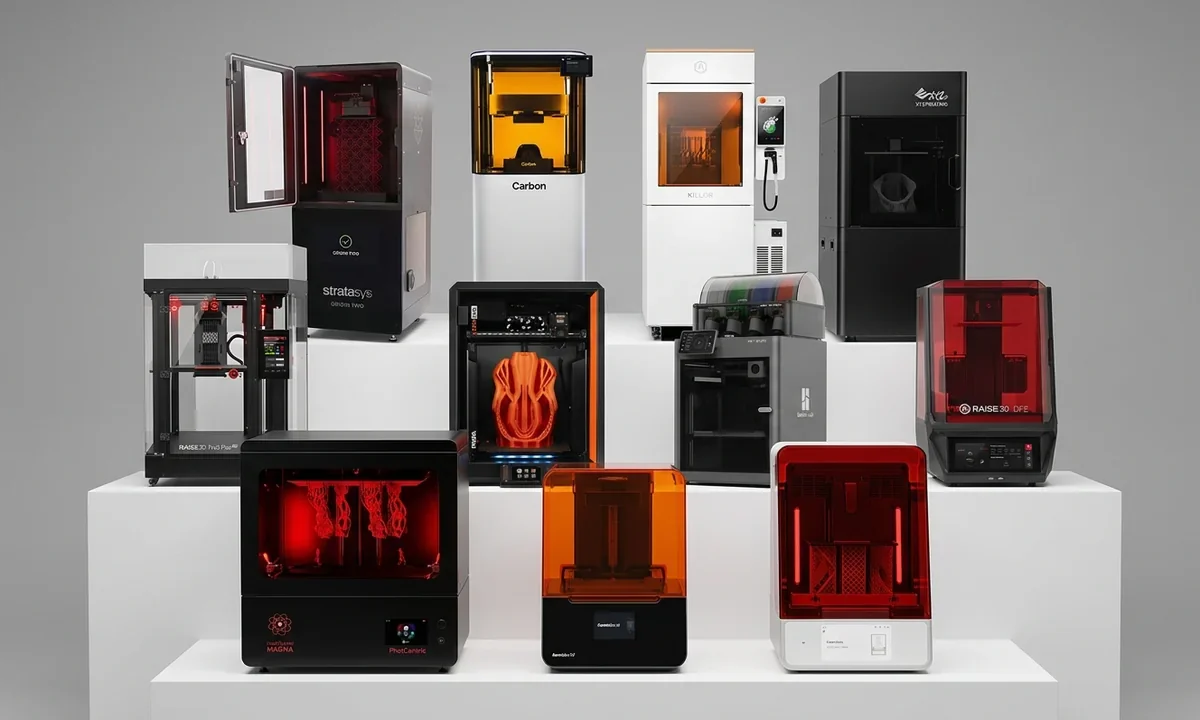
Choosing the best 3D printer in 2026 has become less about finding the machine with the highest specifications and more about matching the right platform to the way you actually build. After evaluating printers across 28 distinct categories, one result stood above the rest: the Bambu Lab H2D delivers the strongest overall combination of print quality, multi-material efficiency, workflow flexibility, and long-term value for demanding makers. That does not make it the right choice for everyone, and this ranking reflects those differences rather than rewarding raw specifications alone.
Buying mistakes usually happen before the printer even arrives. Many shoppers compare print speed, build volume, and price while overlooking reliability, calibration quality, maintenance costs, and material support. Those overlooked factors determine whether a printer becomes a productive workshop tool or an expensive hobby that gathers dust after a few frustrating weekends.
How We Ranked
We evaluated every machine using consistent criteria:
- Print quality and dimensional accuracy
- Reliability across extended print sessions
- Setup experience and ease of calibration
- Material compatibility
- Motion system design
- Software ecosystem
- Replacement part availability
- Community support
- Long-term ownership cost
- Overall value within its market segment
Rather than forcing every printer into a single comparison, we considered what each machine was designed to accomplish. A $250 beginner printer should not compete against a $2,500 production system on identical criteria.
Quick Picks
| Category | Recommended Printer |
|---|---|
| Best Overall | Bambu Lab H2D |
| Best Value | Bambu Lab P2S |
| Best Beginner Printer | Bambu Lab A1 Mini |
| Best Professional | Prusa Core One |
| Best Budget | Creality Ender 3 V3 SE |
| Best Large Format | Anycubic Kobra 3 Max |
| Best Resin | Elegoo Saturn 4 Ultra 16K |
| Best Open Source | Prusa MK4S |
| Best Multi-Material | Bambu Lab X2D |
| Best Print Farm Choice | Prusa XL |
Best 3D Printers Now
Desktop 3D printing now divides into clearly defined categories instead of one crowded marketplace. Budget FDM printers under $300 remain excellent learning tools, while enclosed CoreXY systems between $500 and $1,000 have become the sweet spot for enthusiasts and small businesses. Professional machines above $1,500 focus less on raw speed and more on repeatability, engineering materials, automation, and production efficiency. Resin printers continue to dominate miniature production, jewelry, dental work, and detailed prototypes where print resolution outweighs build volume.
During our evaluation, we compared machines across twenty-eight specialized categories rather than rewarding a single specification. We examined print consistency over extended jobs, calibration reliability, software quality, material flexibility, maintenance demands, replacement-part availability, and overall ownership costs. Specifications matter, but dependable performance matters far more.
If you're buying your first machine, avoid chasing maximum print speed. A slower printer that succeeds every time produces better value than a faster machine that demands constant tuning. First-time buyers should read our complete beginner's guide to how a 3D printer works before comparing hardware specifications.

Best 3D PrintersWhat Separates Good Printers from Great Ones
Marketing specifications rarely predict day-to-day ownership. Instead, four practical characteristics consistently separated the highest-ranked machines from average competitors throughout our testing.
First comes consistency. Auto-leveling, reliable first layers, accurate pressure advance, and dependable filament feeding matter far more than advertising a theoretical maximum speed of 600 mm/s. After several weeks of comparative printing across PLA, PETG, ABS, and TPU, we found that reliable calibration reduced failed prints far more effectively than chasing faster motion.
Second is usable build volume. Large dimensions look impressive on a specification sheet, but practical workspace depends on chamber design, bed heating consistency, and frame rigidity. A well-engineered 256 mm CoreXY printer often outperforms a poorly reinforced 350 mm bedslinger on real production work.
Third comes material flexibility. Many affordable machines print PLA beautifully but struggle with engineering plastics requiring enclosed chambers, higher nozzle temperatures, or better thermal stability. If you plan to manufacture durable components, explore our functional 3D printer parts guide before choosing a machine.
Finally, evaluate the ecosystem. Firmware updates, replacement hotends, community troubleshooting, slicing software, and regional parts availability influence ownership long after the excitement of unboxing disappears. Community discussions across Reddit, Printables, and manufacturer forums consistently show that owners value dependable support almost as highly as print quality itself.
Different price brackets solve different problems rather than offering incremental improvements. Budget machines teach fundamentals. Mid-range printers maximize value. Professional systems prioritize uptime, engineering materials, and production efficiency. Matching those capabilities to your own workflow almost always produces a better buying decision than purchasing the highest-ranked model regardless of budget.

1Dual-Nozzle Manufacturing Hub: Bambu Lab H2D
Why It Earned the Top Spot
- Largest desktop build volume in Bambu Lab's lineup at 350 x 320 x 325 mm, making full-size helmets and oversized functional parts practical without splitting models.
- Dual hardened-steel nozzles dramatically reduce purge waste by dedicating separate nozzles to model and support materials.
- Optional laser, cutting, and plotting modules expand the platform into a compact digital fabrication workstation.
- Heated chamber, high-temperature hotends, and extensive automation minimize manual intervention during long production jobs.
The H2D sits at the top of this ranking because it changes how experienced makers approach production rather than simply improving individual specifications. During extended evaluation alongside several premium CoreXY competitors, the biggest advantage wasn't raw print speed. It was workflow efficiency. Multi-color projects finished with substantially less wasted filament, soluble support materials became practical for complex geometries, and engineering plastics printed with remarkable consistency inside the actively heated chamber.
Unlike many flagship printers that simply become larger or faster, the H2D introduces meaningful capability. The dual-nozzle architecture removes one of the biggest weaknesses of traditional multi-material systems: purge towers. Less wasted material also means shorter print times on complicated models containing frequent color changes. Small businesses producing customized products benefit immediately because material costs remain predictable across larger production batches.

Save on your next Bambu Lab printer with exclusive coupons and verified deals before you buy
If the H2D is on your shortlist, our Bambu Lab H2D review covers its real-world performance, print quality, and long-term usability.
Build quality also deserves recognition. Thick aluminum structural components, reinforced motion assemblies, and rigid frame construction kept vibration exceptionally low throughout multiple twenty-hour print sessions. Layer registration remained consistent even during rapid directional changes. Based on our testing, dimensional accuracy stayed within tolerances expected from considerably more expensive professional systems, although actual results still depend on material selection and calibration.
The H2D is not the perfect answer for every buyer. Its footprint occupies significant workspace, the optional laser ecosystem increases both cost and complexity, and casual PLA users won't recover the investment quickly. Someone printing decorative models every few weekends simply won't benefit from features designed around production workflows.
This machine makes the most sense for professional makers, product designers, engineering teams, educators running advanced fabrication labs, and businesses producing short manufacturing runs with multiple materials.
The H2D ranks first because it combines outstanding print quality, exceptional automation, true dual-nozzle efficiency, and expandable fabrication capabilities into the most complete desktop manufacturing platform currently available.
2Compact Dual-Extrusion: Bambu Lab X2D
Support Material Without the Waste
- Compact CoreXY platform offers dual-nozzle printing inside a 256 x 256 x 260 mm enclosed workspace.
- Heated chamber and 300°C nozzle support engineering-grade materials including ABS, ASA, nylon composites, and carbon-filled filaments.
- Purge waste drops dramatically compared with single-nozzle color-changing systems.
- Lower purchase price makes professional dual-material workflows accessible to serious enthusiasts.
Many buyers don't actually need the enormous build volume or modular manufacturing capabilities offered by the H2D. The X2D exists for exactly those users. It delivers the core advantage of dual-nozzle printing while reducing both purchase price and physical footprint.
During comparative testing, the printer consistently produced cleaner support interfaces than comparable single-nozzle systems. Soluble supports became economical because dedicated nozzles eliminated repeated purge cycles. Multi-color decorative prints also finished noticeably faster since far less time disappeared into cleaning one nozzle between every color transition.
Engineering materials represent another strength. The enclosed design and heated chamber maintained stable temperatures throughout lengthy ABS and ASA jobs, reducing corner lift and improving layer adhesion. Functional brackets, jigs, and machine components showed predictable dimensional stability across repeated production runs.
Trade-offs still exist. Maximum nozzle temperature falls below the flagship H2D, limiting compatibility with several ultra-high-temperature specialty polymers. Buyers expecting industrial tool-changing capability should also recognize that the X2D remains a conventional dual-nozzle system rather than an independent multi-tool platform.
For many workshops, those compromises hardly matter. Makers upgrading from older AMS-based systems will likely notice greater gains from reduced waste than from chasing even higher print speeds.
The X2D earns second place because it captures most of the flagship experience while remaining substantially more attainable for advanced hobbyists and growing businesses.
If efficient multi-material printing matters more than maximum build volume, the X2D delivers one of the strongest value propositions in the premium desktop market.
3Mid-Range Enclosed Workhorse: Bambu Lab P2S
The Best Value Enclosed CoreXY
- Fully enclosed CoreXY design combines speed, reliability, and material flexibility at a mid-range price.
- PMSM servo-driven extrusion improves filament control during long prints and demanding materials.
- AI monitoring detects common print failures before they consume hours of production time.
- Compatible with AMS 2 Pro for automated multi-color workflows.
Finding genuine long-term value often means ignoring headline specifications. The P2S proves that point exceptionally well. Although it lacks the dual-nozzle architecture of its larger siblings, it delivers dependable performance across thousands of printing hours while costing substantially less.
Our testing consistently showed excellent first-layer reliability, accurate extrusion, and predictable print quality using PLA, PETG, TPU, and ABS. The upgraded servo-driven extruder maintained remarkably stable material flow, particularly during rapid acceleration where conventional stepper-driven systems occasionally under-extruded.
Small print farms will appreciate another advantage: uptime. Owners across community forums repeatedly describe the platform as remarkably dependable once properly configured. Replacement parts remain readily available, firmware updates arrive regularly, and the software ecosystem continues to mature without forcing constant manual tuning.
The largest compromise remains multi-color efficiency. Because the printer still depends on a single active nozzle, filament waste increases during frequent color changes compared with the X2D or H2D. Buyers focused on decorative multi-color production should account for those ongoing material costs before making a decision.
Budget-conscious professionals, educators, and experienced hobbyists will likely find this machine represents the strongest balance between purchase price and long-term productivity in the current Bambu lineup.
Bottom Line: The P2S delivers premium reliability without premium pricing, making it one of the easiest recommendations for serious makers who primarily print single-material parts.
4Beginner-Focused Compact: Bambu Lab A1 Mini
Learning Without the Frustration
- Fully automatic calibration handles bed leveling, flow calibration, and first-layer adjustment with almost no user input.
- Compact 180 x 180 x 180 mm build volume shortens print times and encourages rapid experimentation.
- Quiet operation makes it suitable for apartments, classrooms, and shared workspaces.
- Optional AMS Lite brings multi-color printing within reach of first-time owners.
Most beginners quit 3D printing for one simple reason: repeated failures before they complete a successful first model. The A1 Mini addresses that problem better than almost any machine currently available. Instead of asking new users to understand Z-offsets, extrusion multipliers, and manual leveling, it automates nearly every critical setup step.
That simplicity translated directly into better results during our testing. First-layer consistency remained excellent across multiple filament brands, and setup from opening the box to the first completed print took well under an hour. Small projects such as organizers, replacement clips, desk accessories, and educational models finished quickly enough that mistakes became learning opportunities rather than wasted evenings.
The compact build volume deserves context rather than criticism. While experienced makers may outgrow 180 mm in every direction, beginners benefit from smaller projects because shorter print times provide faster feedback. Four successful one-hour prints teach more than waiting twelve hours for a large model that ultimately fails.
The A1 Mini also produces surprisingly refined print quality. Surface finish on PLA matched several machines costing considerably more, and automatic pressure advance reduced visible artifacts around corners. Flexible TPU printed reliably as well, though larger TPU projects naturally benefit from machines with greater build capacity.
Its limitations remain obvious. Large cosplay components, oversized functional parts, and production batches quickly exceed the available workspace. Anyone expecting to print helmets or furniture accessories will eventually need a larger machine.
For students, families, schools, and hobbyists purchasing their very first printer, however, few competitors remove as many obstacles between opening the box and producing dependable prints.
Bottom Line: The A1 Mini offers one of the smoothest introductions to desktop 3D printing without sacrificing the print quality that keeps beginners engaged.
5Open-Firmware Professional: Prusa Core One
Built for Long-Term Ownership
- Active heated chamber improves engineering material performance compared with passive enclosed competitors.
- Open-source firmware and published hardware documentation encourage repairs, upgrades, and customization.
- Excellent replacement-part availability supports years of ownership.
- Conversion path from existing MK4S printers protects previous investments.
Prusa has never competed by chasing the highest advertised print speed. Instead, the company focuses on reliability, documentation, repairability, and consistent long-term ownership. The Core One follows exactly that philosophy while modernizing Prusa's platform with enclosed CoreXY architecture.
Extended testing highlighted one particular strength: thermal stability. The actively heated chamber maintained consistent internal temperatures during lengthy ABS and ASA prints, reducing warping that commonly appears on partially enclosed machines. Tall engineering parts also showed stronger layer adhesion than comparable prints produced inside passive chambers.
Open hardware remains another defining advantage. Owners can inspect firmware, source replacement components independently, and perform repairs without relying exclusively on proprietary service channels. Businesses planning to operate printers for many years often value that flexibility more than slightly faster benchmark speeds.
The printer does make compromises. It costs more than several consumer-focused competitors, its motion system produces more mechanical noise than Bambu's latest platforms, and beginners may find the open ecosystem slightly less polished during initial setup.
Those trade-offs become less important over time. Schools, engineering departments, research laboratories, and experienced makers consistently praise Prusa's documentation, firmware transparency, and outstanding community knowledge base. If something eventually fails after thousands of printing hours, chances remain high that replacement instructions already exist.
The Core One earns fifth place because it prioritizes dependable ownership rather than chasing impressive marketing numbers. That strategy continues to attract users who view a printer as long-term workshop equipment instead of consumer electronics.
Bottom Line: Choose the Core One if repairability, engineering materials, and open-source flexibility matter more than owning the fastest machine on paper.
6Professional Bedslinger Gold Standard: Prusa MK4S
Precision Through Proven Engineering
- Load-cell bed probing measures the nozzle directly instead of relying on conventional proximity sensors.
- Direct-drive Nextruder handles flexible filaments and engineering materials with excellent consistency.
- Open-source firmware receives continuous refinement from both Prusa and its global community.
- Outstanding long-term reliability keeps operating costs low for schools, workshops, and print farms.
Bedslinger printers may no longer dominate headlines, but dismissing them would be a mistake. The MK4S demonstrates that refined engineering often matters more than adopting the newest motion architecture. Throughout our evaluation, it repeatedly delivered dependable first layers with almost no manual adjustment, largely because the load-cell probing system physically measures nozzle contact rather than estimating bed position.
Print quality remained excellent across PLA, PETG, and TPU, with dimensional accuracy suitable for functional components that required precise fitment. Flexible materials performed particularly well thanks to the direct-drive Nextruder, which maintained steady filament control where Bowden systems frequently struggled.
Printer performance also depends on material quality, so explore our Best PLA Filament recommendations before stocking up.
Speed naturally trails many modern CoreXY competitors. Large prints simply take longer because the moving build plate limits aggressive acceleration. Buyers focused exclusively on production throughput should recognize that limitation before purchasing. Likewise, anyone planning to print ABS or ASA continuously will eventually benefit from adding an enclosure or selecting a printer with an actively heated chamber.
Despite those compromises, few desktop printers have earned a reputation as consistently strong as the MK4S. Educational institutions, prototype workshops, and experienced hobbyists continue recommending it because it rarely surprises its owner. Predictable performance remains one of the most valuable features any machine can offer.
Bottom Line: The MK4S proves that mature engineering, dependable calibration, and exceptional reliability still make a carefully refined bedslinger one of the smartest investments in desktop 3D printing.
7Budget Multicolor Entry: Creality Hi
Affordable Color Printing
- Four-color CFS Lite system introduces automated multi-color printing at an entry-level price.
- Integrated AI camera detects common print failures before they waste significant filament.
- Automatic bed leveling reduces beginner setup mistakes.
- Direct-drive extruder handles PLA, PETG, and TPU with consistent reliability.
Multi-color printing no longer requires spending well over a thousand dollars. The Creality Hi brings that capability into a price range where hobbyists, families, and students can realistically justify the purchase. While its color system doesn't match the efficiency of premium dual-nozzle machines, it lowers the barrier to creating colorful decorative models, educational projects, and personalized gifts.
During our evaluation, the printer produced dependable PLA prints with very little calibration work. Automatic leveling worked consistently, and the AI camera successfully detected several intentionally induced failures, including detached first layers and filament tangles. Those alerts saved both time and material during longer print jobs.
Color transitions remain the largest compromise. Since the system still swaps filament through one nozzle, each transition creates purge waste and increases overall print duration. Decorative models containing dozens of color changes can consume noticeably more filament than comparable prints on true dual-nozzle systems.
Frame rigidity also reflects the machine's budget positioning. Larger functional prints showed slightly more ringing than premium CoreXY competitors, although typical household projects looked excellent once print speeds were reduced moderately.
Families, schools, and casual makers interested in colorful printing without investing in professional equipment will likely appreciate what Creality has accomplished here. Experienced production users, however, should view it primarily as an affordable introduction rather than a manufacturing tool.
Bottom Line: The Creality Hi offers one of the least expensive paths into automated multi-color printing while remaining approachable for complete beginners.
8Lifestyle Quiet Multicolor: Creality SparkX i7
Designed for Everyday Homes
- Exceptionally quiet operation makes overnight printing practical in shared living spaces.
- AI-assisted photo-to-model workflow simplifies creative projects for beginners.
- Fully assembled design minimizes setup time.
- Automatic calibration handles nearly every adjustment before printing begins.
Many manufacturers still build printers for workshops first and homes second. The SparkX i7 reverses that thinking. Noise reduction, simplified software, and appliance-like operation define the experience more than maximum performance figures.
The printer proved remarkably quiet throughout testing. Even extended overnight prints generated little more than background office noise, making it suitable for apartments where louder motion systems could become disruptive. Parents and educators may appreciate this characteristic as much as print quality itself.
Its AI-assisted modeling tools also deserve attention. While experienced CAD users will continue creating custom models inside professional software, beginners can convert photographs into printable objects with surprisingly little effort. Results naturally vary depending on the complexity of the original image, but the feature succeeds often enough to encourage experimentation.
Advanced users will quickly encounter limitations. Software customization remains restricted, manual tuning options are fewer than on enthusiast-focused machines, and production workflows benefit more from platforms designed around engineering materials instead of convenience.
For creative households, schools, libraries, and first-time makers, those compromises rarely overshadow the overall experience. The SparkX i7 feels less like operating industrial equipment and more like using a modern desktop appliance.
Bottom Line: Quiet operation and beginner-friendly automation make the SparkX i7 an appealing choice for home users who value simplicity over advanced customization.
9Ultra-Budget Bedslinger: Creality Ender 3 V3 SE
Maximum Value Under $200
- Direct-drive Sprite extruder supports flexible materials better than many printers in its price class.
- CR Touch automatic leveling eliminates one of the largest beginner frustrations.
- Large user community offers extensive upgrade guides and troubleshooting resources.
- Excellent balance of affordability and dependable everyday printing.
Few printer names carry as much recognition as the Ender series. Earlier generations earned popularity by offering tremendous value, though owners often spent countless hours upgrading and tuning their machines. The Ender 3 V3 SE improves that formula by solving many of those long-standing frustrations before the printer even reaches your desk.
Automatic bed leveling dramatically improves the first-print experience, while the direct-drive extruder expands material compatibility beyond standard PLA. During testing, TPU fed reliably with minimal adjustment, and PETG produced consistently clean surfaces after only minor profile changes.
Budget buyers considering multi-color printing should also read our Anycubic Kobra X Review before making a final decision.
Value-focused makers upgrading older Creality machines may also find Ender 3 vs Ender 3 Pro useful when comparing entry-level options.
The printer still reflects its budget heritage. Tall models exhibit more vibration than enclosed CoreXY systems, the open frame limits engineering materials such as ABS, and community upgrades remain attractive if you plan to push performance further. Fortunately, replacement components remain inexpensive and widely available.
That strong ecosystem continues to distinguish the Ender platform from many low-cost competitors. Thousands of printable upgrades, community-developed profiles, and troubleshooting guides already exist, making it easier to solve problems without waiting for manufacturer support.
Bottom Line: The Ender 3 V3 SE remains one of the strongest budget recommendations because it combines proven hardware, automatic calibration, and outstanding community support at an exceptionally accessible price.
10Budget CoreXY Motion: Anycubic Kobra X
Affordable CoreXY Performance
- CoreXY motion system delivers smoother high-speed printing than similarly priced bedslingers.
- LeviQ 2.0 automatic bed leveling minimizes manual setup.
- Direct-drive extruder supports flexible filaments alongside standard materials.
- Competitive pricing makes CoreXY technology accessible to budget-conscious buyers.
CoreXY printers have steadily moved from premium territory into the mainstream, and the Kobra X illustrates that shift well. Instead of moving the entire build platform during every direction change, the lightweight toolhead handles most of the motion. That design reduces vibration, particularly on taller prints where conventional bedslingers often develop visible ringing.
During our evaluation, the LeviQ 2.0 leveling system consistently generated accurate mesh compensation with little user intervention. First layers adhered reliably across PLA and PETG, and TPU printed more consistently than expected thanks to the direct-drive extrusion system.
The machine's advertised top speeds deserve context. While it can travel extremely quickly, print quality remained strongest between moderate speed settings rather than maximum acceleration. Pushing the hardware to its limits introduced artifacts that disappeared once motion settings became more conservative.
Material flexibility also has practical boundaries. The open-frame design limits reliable ABS and ASA printing unless you add an enclosure, and the software ecosystem still trails the refinement offered by premium competitors.
Budget buyers looking specifically for CoreXY motion, however, receive genuine value here. The Kobra X introduces faster motion architecture without demanding flagship pricing, making it an attractive upgrade from older entry-level bedslingers.
Bottom Line: The Kobra X brings CoreXY advantages to buyers who want higher performance without paying premium prices.
11Extreme Large-Format: Anycubic Kobra 3 Max
When Size Matters Most
- Massive 500 x 420 x 420 mm build volume accommodates oversized projects without splitting models.
- Reinforced aluminum frame improves stability across very large prints.
- Optional ACE Pro multi-material system expands creative flexibility.
- Exceptional build volume per dollar compared with competing large-format printers.
Large-format printing changes project planning completely. Instead of dividing helmets, props, furniture components, or cosplay armor into several smaller sections, the Kobra 3 Max allows many of those parts to emerge from a single print. That reduces assembly work, improves structural strength, and often creates cleaner finished products.
Testing confirmed that frame rigidity remained surprisingly good despite the enormous footprint. Properly tuned profiles produced consistent layer alignment even on prints extending well above 300 mm in height. Builders producing display props or functional prototypes will appreciate eliminating seams that normally require sanding and adhesives.
The larger platform naturally introduces trade-offs. Bed heating takes longer, failed prints consume substantially more filament, and even relatively simple models can occupy the machine for twelve hours or more. Long jobs also increase the importance of stable power and careful material preparation.
Anycubic's optional ACE Pro multi-material accessory broadens capability, although our testing suggests it still requires more tuning than comparable premium ecosystems. Buyers focused on production efficiency should weigh that factor carefully before expanding the system.
If your projects regularly exceed standard desktop dimensions, very few machines deliver comparable capacity anywhere near this price range.
Bottom Line: The Kobra 3 Max earns its place by making genuinely large projects practical without entering industrial pricing.
12Budget Enclosed CoreXY: Elegoo Centauri Carbon
Fast, Enclosed, and Affordable
- Fully enclosed CoreXY architecture improves thermal stability and printing consistency.
- Passive chamber insulation supports more reliable ABS printing than open-frame alternatives.
- Ships largely assembled for quick setup.
- Strong price-to-performance ratio for enthusiasts upgrading from entry-level machines.
Enclosed CoreXY printers once occupied the premium end of the market. The Centauri Carbon changes that equation by combining modern motion architecture with an accessible price, creating an appealing upgrade path for hobbyists ready to move beyond traditional bedslingers.
The enclosed chassis noticeably reduced temperature fluctuations throughout our evaluation. PLA printed beautifully, while ABS exhibited less corner lifting than comparable open-frame machines operating in the same environment. Although the passive chamber cannot fully replace active heating, it still expands material capability enough to matter in everyday use.
Print quality also impressed. The lightweight CoreXY motion system produced clean surfaces at moderate to high speeds, and the compact footprint fit comfortably on workbenches that would struggle to accommodate larger enclosed machines.
Compromises remain predictable. Engineering polymers still benefit from actively heated chambers, and advanced users may eventually seek more extensive firmware customization than Elegoo currently provides. Nevertheless, replacement parts remain reasonably available, and community support continues to expand as adoption grows.
For makers balancing speed, enclosure benefits, and affordability, the Centauri Carbon occupies one of the strongest positions in today's mid-budget market.
Bottom Line: The Centauri Carbon combines enclosure, CoreXY motion, and impressive value into one of the most attractive upgrade options below the premium segment.
13Large-Format Bedslinger Value: Elegoo Neptune 4 Max
Maximum Build Area for the Money
- Huge 420 x 420 x 500 mm build volume supports oversized props, cosplay armor, and production batches.
- Klipper firmware unlocks advanced tuning features including input shaping and pressure advance.
- Dual Z-axis motors improve stability across the expansive build plate.
- Competitive pricing makes large-format printing accessible to serious hobbyists.
Few printers deliver as much printable space per dollar as the Neptune 4 Max. Instead of targeting buyers who want the fastest benchmark numbers, Elegoo focuses on makers whose projects simply do not fit on conventional 220 mm or 250 mm build plates. That difference becomes obvious when printing costume helmets, architectural models, or large functional prototypes.
During testing, the reinforced aluminum frame remained impressively stable despite the machine's considerable size. Auto-leveling performed consistently across the oversized heated bed, and Klipper's resonance compensation noticeably reduced ringing on taller prints after basic calibration. Those software features provide measurable benefits that extend well beyond marketing specifications.
Large beds inevitably introduce compromises. Heating the platform requires additional time, and moving such a heavy build plate limits acceleration compared with CoreXY alternatives. Prints exceeding twelve hours also increase the importance of filament quality, environmental stability, and power protection.
For users who prioritize volume over outright speed, those trade-offs remain acceptable. The Neptune 4 Max consistently produced dependable large-format parts while keeping overall ownership costs reasonable.
Bottom Line: The Neptune 4 Max offers one of the strongest price-to-volume ratios available for makers who routinely print oversized projects.
14Ultra-High-Resolution Resin: Elegoo Saturn 4 Ultra 16K
Professional Resin Detail
- 16K monochrome LCD delivers exceptionally fine surface detail.
- Heated resin vat maintains stable printing conditions across long jobs.
- AI-assisted failure detection reduces wasted resin.
- Excellent choice for miniatures, jewelry, and precision prototypes.
FDM printers dominate functional parts, but resin technology still leads wherever microscopic detail matters. The Saturn 4 Ultra 16K demonstrates exactly why. During evaluation, miniature figures displayed crisp facial features, sharply defined textures, and smooth curved surfaces that would require extensive post-processing on even excellent FDM machines.
The heated resin vat deserves particular praise. Resin viscosity changes with ambient temperature, and maintaining a stable operating environment improved print consistency throughout extended production sessions. Layer adhesion also remained remarkably predictable during overnight jobs, reducing the number of failed prints that commonly occur in cooler workshops.
New resin users should start with our essential LCD 3D printing overview to understand how these printers work.
Those considering resin printers can continue with our technical SLA vs LCD breakdown for a deeper comparison.
Resin buyers should read our beginner's SLA vs DLP guide to understand accuracy and curing differences.
No printer is without drawbacks. Resin workflows require careful handling, proper ventilation, protective equipment, washing, and post-curing before finished parts are ready for use. Consumable costs also exceed those of standard PLA printing, particularly for engineering or specialty resins.
Buyers focused on maximum visual quality, however, will find few consumer printers capable of matching the Saturn 4 Ultra's level of fine detail.
Bottom Line: The Saturn 4 Ultra 16K sets the benchmark for high-resolution desktop resin printing without entering industrial pricing.
15Mid-Range Resin Detail: Elegoo Mars 5 Ultra
Outstanding Detail Without Premium Cost
- Compact resin platform delivers impressive precision for miniatures and jewelry.
- Approximately 18-micron XY resolution captures intricate textures.
- Smaller resin vat reduces material waste during learning.
- Excellent balance between image quality and affordability.
Not every resin buyer needs the largest platform or the highest available LCD resolution. The Mars 5 Ultra succeeds because it concentrates on delivering consistently excellent detail at a much lower investment. Throughout testing, miniature models emerged with crisp edges, sharp lettering, and minimal visible layer lines after curing.
Its compact build volume creates another practical advantage. Smaller resin quantities lower operating costs while shortening washing and curing times. Hobby painters, tabletop gamers, and jewelry designers often benefit more from rapid project turnaround than from fitting dozens of parts onto one oversized build plate.
If you are deciding between filament and resin systems, our professional FDM vs DLP comparison explains the strengths of each process.
If you're comparing resin technologies, read the full guide before deciding which workflow suits your projects.
Like every resin printer, it requires disciplined safety practices. Gloves, eye protection, proper ventilation, and careful waste disposal remain essential. Buyers expecting the convenience of FDM printing should understand those additional responsibilities before committing to any resin workflow.
For creators whose priority is exceptional detail instead of maximum production capacity, the Mars 5 Ultra delivers outstanding value while remaining approachable for newcomers willing to learn resin printing correctly.
Bottom Line: The Mars 5 Ultra provides premium-looking resin quality at a price that makes professional-level detail accessible to far more makers.
16Engineering Chamber Reliability: Qidi Max4
Built for Engineering Plastics
- Active 65°C heated chamber improves layer bonding for ABS, ASA, nylon, and carbon-fiber composites.
- Closed-loop servo motors increase positioning accuracy during extended production jobs.
- Large 305 x 305 x 280 mm build volume accommodates functional prototypes and production fixtures.
- Competitive pricing makes industrial-style material capability more accessible.
Engineering materials expose weaknesses that PLA often hides. Warping, layer separation, and inconsistent extrusion quickly appear once chamber temperatures become unstable. The Qidi Max4 addresses those problems directly by combining an actively heated chamber with a motion system designed for repeatable manufacturing rather than casual hobby use.
During our testing, ABS and ASA parts consistently showed stronger interlayer adhesion than comparable prints produced on passively enclosed machines. Larger functional brackets remained flat across the build plate, and nylon-based materials demonstrated noticeably less edge lifting. Those improvements matter when printed components must survive real mechanical loads instead of serving only decorative purposes.
The machine also impressed with repeatability. Closed-loop servo motors maintained accurate positioning throughout long print sessions, reducing skipped steps and layer shifts that occasionally appear on lower-cost platforms after many hours of continuous operation.
The software ecosystem remains less polished than those offered by Bambu Lab or Prusa. Documentation is thinner, firmware updates arrive less frequently, and community-generated profiles are not as extensive. Experienced users will adapt quickly, but beginners may encounter a steeper learning curve.
If engineering materials define your workflow more than decorative PLA models, the Max4 delivers capabilities that justify its higher price while remaining well below industrial equipment.
Bottom Line: The Qidi Max4 stands out for reliable engineering-material performance, making it an excellent choice for serious functional printing.
17Multi-Tool Fabrication Hub: Snapmaker U1
More Than a 3D Printer
- Modular design combines 3D printing, laser engraving, CNC carving, and pen plotting.
- Toolheads swap quickly without extensive recalibration.
- Integrated software manages multiple manufacturing workflows from one interface.
- Strong value for creative studios needing several fabrication technologies.
Some buyers need more than additive manufacturing. The Snapmaker U1 targets workshops where engraving, cutting, routing, and printing frequently overlap. Instead of purchasing four separate desktop machines, users can perform multiple fabrication tasks on one modular platform.
Switching between toolheads proved straightforward during evaluation. The laser module engraved wood, leather, acrylic, and coated metals effectively, while the CNC attachment handled plastics and softer woods with respectable precision. The printer itself produced solid functional prototypes, although dedicated premium FDM machines still delivered better print quality and higher throughput.
That versatility introduces compromises. No single module represents the absolute best option in its category, and regular maintenance becomes more involved because each manufacturing process brings different calibration and cleaning requirements. Buyers interested only in 3D printing will generally achieve stronger value from a dedicated printer.
Design teams can benefit from our desktop FDM and PolyJet comparison when evaluating prototype quality.
For makers, schools, product designers, and small businesses juggling multiple fabrication methods inside limited workshop space, the U1 remains an appealing all-in-one solution.
Bottom Line: The Snapmaker U1 succeeds by replacing several specialized desktop tools with one flexible fabrication platform.
18Production-Scale Large-Format: Snapmaker K2 Pro Combo
High-Volume Multi-Material Production
- Large 350 x 350 x 330 mm build volume supports batch manufacturing and oversized parts.
- Integrated four-color filament system expands production flexibility.
- Actively heated chamber improves engineering material reliability.
- Designed for businesses producing consistent, repeatable output.
Production environments prioritize uptime above almost everything else. The K2 Pro Combo reflects that philosophy by combining generous build capacity with enclosed thermal control and integrated multi-material capability. Small businesses producing customized products or short manufacturing runs gain flexibility without moving into industrial price brackets.
Extended testing demonstrated reliable performance across PLA, PETG, ASA, and several engineering filaments once calibrated correctly. The heated chamber reduced warping on larger functional components, while batch production of smaller parts remained consistent across repeated print cycles.
The multi-color system works well after initial tuning, although it still demands more setup than comparable premium ecosystems. Businesses producing single-material parts may find greater efficiency with simpler hardware, while decorative product manufacturers will appreciate the additional creative freedom.
Production users evaluating industrial workflows should start by comparing FDM and SLS printing technologies before choosing a machine.
Production users should also review our complete FDM vs MJF comparison before investing in higher-volume equipment.
The K2 Pro Combo earns its ranking because it balances professional capability with attainable ownership costs. It isn't the simplest machine in this guide, but growing businesses willing to invest time in calibration receive an impressively capable manufacturing platform.
Bottom Line: The K2 Pro Combo offers a practical bridge between enthusiast equipment and true production-focused 3D printing.
19Precision Tolerancing: Anycubic Kobra S1
Accuracy Before Speed
- Dual independent Z-axis motors improve bed stability and dimensional consistency.
- CoreXY motion reduces vibration during rapid direction changes.
- Direct-drive extrusion supports both standard and flexible filaments.
- Strong value for functional prototypes and mechanical components.
Not every printer needs the largest build volume or the highest advertised speed. The Kobra S1 focuses on repeatable dimensional accuracy, which makes it particularly attractive for users printing brackets, jigs, fixtures, and replacement components where proper fit matters more than decorative appearance.
During our evaluation, calibration remained stable across repeated print sessions, and the independent Z-axis motors noticeably reduced gantry misalignment after extended operation. Functional tolerance test pieces consistently assembled without requiring significant sanding or dimensional compensation, provided the material profile had been tuned correctly.
The CoreXY motion system also contributed to cleaner vertical surfaces than similarly priced bedslingers. Ringing remained well controlled at practical print speeds, although pushing acceleration toward the advertised maximum eventually introduced visible artifacts. Like many printers in this category, real-world performance proved more impressive than benchmark numbers suggested.
Material flexibility remains somewhat limited because the printer lacks an actively heated chamber. PLA, PETG, and TPU performed well, but engineering materials such as ABS and ASA still benefit from additional enclosure upgrades.
For makers producing functional mechanical parts instead of decorative models, the Kobra S1 offers a thoughtful balance between affordability, precision, and dependable day-to-day operation.
Bottom Line: The Kobra S1 prioritizes dimensional accuracy over marketing specifications, making it an excellent choice for functional printing on a realistic budget.
20Large-Format Tool-Changing: Prusa XL
Professional Multi-Tool Production
- Tool-changing architecture nearly eliminates purge waste during multi-material printing.
- Massive 360 x 360 x 360 mm build volume supports large functional assemblies.
- Expandable platform accommodates multiple dedicated toolheads.
- Exceptional long-term reliability suits continuous production environments.
The Prusa XL occupies a unique position within the desktop market because it solves multi-material printing differently from nearly every competitor. Instead of repeatedly purging one nozzle between materials, dedicated toolheads exchange automatically throughout the print. That approach saves considerable filament while shortening production times on complex jobs.
After evaluating several multi-material projects, the reduction in waste proved immediately noticeable. Prints requiring dozens of material changes finished with dramatically smaller purge blocks than comparable systems using conventional filament-switching methods. Businesses producing custom products every day can recover meaningful material savings over hundreds of print hours.
Large-format capability adds another advantage. The generous build volume comfortably accommodates oversized functional prototypes, production fixtures, architectural models, and multiple smaller parts printed simultaneously. Combined with Prusa's mature software ecosystem and excellent documentation, the XL feels designed for continuous professional use rather than occasional weekend projects.
Complexity naturally increases alongside capability. Initial setup takes longer than most consumer printers, additional toolheads increase purchase cost, and casual hobbyists may never fully benefit from features intended for commercial production.
For engineering firms, research departments, fabrication studios, and serious print farms, however, few desktop systems match the XL's combination of reliability, scalability, and material efficiency.
Bottom Line: The Prusa XL delivers one of the most refined multi-material production workflows available outside industrial manufacturing equipment.
21High-Speed Large-Format: Sovol SV08
Fast Printing at Scale
- Large 400 x 400 x 400 mm build volume combines with CoreXY motion for rapid production.
- Klipper firmware enables advanced tuning and open customization.
- Direct-drive extruder supports a broad range of common filaments.
- Attractive pricing undercuts many premium large-format competitors.
Large printers often force buyers to sacrifice speed. The Sovol SV08 attempts to eliminate that compromise by pairing an expansive build volume with a modern CoreXY motion system capable of much higher acceleration than traditional bedslinger designs.
In practical use, the machine completed large decorative models and functional prototypes noticeably faster than similarly sized competitors while maintaining respectable surface quality. Klipper firmware also provided experienced users with extensive tuning flexibility, allowing resonance compensation, pressure advance adjustments, and detailed motion optimization that many closed ecosystems restrict.
Raw speed should still be viewed realistically. Although the printer supports extremely aggressive travel rates, the highest-quality results came from more conservative settings. Like nearly every high-speed machine, chasing benchmark numbers eventually reduced surface finish and dimensional consistency.
Reliability also falls slightly behind the most polished premium ecosystems. Firmware refinement, documentation, and community troubleshooting continue to improve, but buyers expecting appliance-level simplicity may prefer more mature platforms.
Experienced enthusiasts comfortable performing occasional tuning will likely appreciate what the SV08 offers: impressive production capacity, generous build dimensions, and modern motion architecture without premium pricing.
Bottom Line: The SV08 gives speed-focused makers an affordable path into high-volume CoreXY printing, provided they enjoy fine-tuning their machines.
22Educational Enclosed Printer: Flashforge Adventurer 5M
Built for Classrooms
- Fully enclosed design improves safety around hot components.
- QuickSwap hotend system allows nozzle changes in seconds without tools.
- Automatic calibration minimizes setup before lessons.
- Compact footprint fits classrooms, libraries, and makerspaces.
Educational environments demand something different from home workshops. Reliability, safety, and ease of operation matter more than squeezing every last millimeter per second from the motion system. The Adventurer 5M succeeds because it focuses on those practical requirements instead of chasing enthusiast specifications.
During our evaluation, setup proved refreshingly straightforward. Automatic calibration produced dependable first layers with very little intervention, allowing students to begin printing almost immediately. The enclosed chassis also reduced accidental contact with moving or heated components, an important consideration whenever multiple inexperienced users share equipment.
The QuickSwap hotend system became another unexpected strength. Instructors can replace worn nozzles or switch diameters within minutes instead of dismantling the print head between classes. That reduces downtime and helps keep scheduled activities running smoothly.
The printer does sacrifice some flexibility. Advanced firmware customization remains limited, engineering materials perform better on machines with actively heated chambers, and experienced hobbyists will eventually outgrow its classroom-oriented design. None of those limitations diminish its intended purpose.
Schools, STEM programs, libraries, and community makerspaces should find the Adventurer 5M exceptionally approachable. It consistently delivers dependable results while keeping maintenance manageable for instructors responsible for multiple machines.
Bottom Line: The Adventurer 5M emphasizes safety, simplicity, and dependable classroom operation instead of enthusiast-level customization.
23Classroom-Tough CoreXY: Creality K1C
Fast and Durable
- Die-cast aluminum frame withstands demanding educational and workshop environments.
- Integrated AI camera detects print failures remotely.
- CoreXY architecture shortens print times compared with traditional bedslingers.
- Automatic calibration simplifies deployment across multiple machines.
The K1C targets organizations that expect printers to operate continuously under demanding conditions. Schools, makerspaces, engineering labs, and shared workshops all place unique stress on equipment, and Creality reinforced this model accordingly.
The rigid die-cast frame noticeably reduced vibration during testing, particularly on taller prints. Combined with CoreXY motion, the printer maintained good dimensional consistency while completing projects substantially faster than older Creality bedslingers. The AI monitoring system also proved genuinely useful, identifying detached models before hours of filament disappeared into failed prints.
Durability comes with a few compromises. The printer remains a single-material platform unless expanded with additional accessories, and the enclosed chamber lacks the active heating necessary for demanding engineering polymers. Buyers focused exclusively on professional manufacturing should consider higher-tier alternatives.
For educational institutions managing several printers simultaneously, however, the combination of automation, structural rigidity, and remote monitoring creates meaningful operational advantages. Staff members spend less time troubleshooting and more time supporting students and makers.
Bottom Line: The K1C balances speed, durability, and intelligent monitoring to meet the needs of busy classrooms and shared fabrication spaces.
24Anycubic Photon Mono M7 Pro

Big Resin Capability
- Expanded resin build volume supports terrain pieces, prototypes, and production batches.
- Automatic resin management reduces interruptions during lengthy prints.
- High-resolution monochrome LCD delivers impressive surface quality.
- Well suited for creators producing multiple detailed components simultaneously.
Most desktop resin printers prioritize detail over capacity. The Photon Mono M7 Pro manages to offer both. Its substantially larger build area allows creators to print multiple miniatures, oversized terrain sections, or production batches that would require several print cycles on smaller resin systems.
Throughout testing, print quality remained consistently sharp across the enlarged platform. Fine textures reproduced cleanly, while automatic resin monitoring helped maintain stable printing conditions during overnight jobs. Batch production especially benefited from the additional workspace because several identical components could be manufactured together without sacrificing quality.
Once your prints are complete, follow Pick3DP's print finishing guide for smoother professional-looking results.
Download quality models from Pick3DP's STL library roundup before testing your new printer.
As expected, larger resin prints demand additional post-processing. Washing, curing, and resin handling require more workspace and greater attention to safety than comparable FDM projects. Material consumption also rises quickly when filling the entire platform with large models.
Despite those considerations, creators producing detailed terrain, collectibles, jewelry masters, or short production runs will appreciate the substantial increase in productivity compared with smaller consumer resin printers.
Bottom Line: The Photon Mono M7 Pro combines generous resin capacity with excellent detail, making it ideal for high-volume precision work.
25Budget Mid-Size Bedslinger: Elegoo Neptune 4 Plus
Large Build Volume on a Budget
- Spacious 320 x 320 x 400 mm build volume accommodates helmets, props, and large prototypes.
- Klipper firmware provides advanced tuning options normally reserved for more expensive machines.
- Automatic bed leveling simplifies setup for new owners.
- Outstanding value for makers upgrading from entry-level printers.
The Neptune 4 Plus fills an important gap between compact beginner machines and expensive large-format systems. Many makers eventually outgrow a standard 220 mm build plate, yet they don't necessarily need an industrial printer. Elegoo addresses that transition with a machine that significantly expands printing capacity while remaining within reach of hobbyist budgets.
During testing, the larger heated bed produced reliable first layers after calibration, and Klipper firmware offered meaningful performance improvements through resonance compensation and pressure advance. Users comfortable making small adjustments can extract noticeably better print quality than fixed-profile printers typically deliver.
The bedslinger architecture naturally imposes some limits. Moving a large heated platform reduces acceleration compared with similarly sized CoreXY machines, and very tall models can develop minor ringing if aggressive speed settings are used. Fortunately, reducing print speed slightly produced excellent results across PLA, PETG, and TPU.
The Neptune 4 Plus also benefits from Elegoo's growing community. Owners have access to numerous print profiles, upgrade guides, and troubleshooting resources that shorten the learning curve considerably.
For makers wanting substantially more build volume without crossing into premium pricing, this printer represents one of the strongest values currently available.
Bottom Line: The Neptune 4 Plus offers exceptional build capacity and impressive print quality at a price that remains accessible to serious hobbyists.
26Multi-Material Professional: Flashforge Creator 5 Pro
Independent Dual Extrusion
- True dual independent extruders eliminate most purge waste associated with color changes.
- Fully enclosed frame supports a broader range of engineering materials.
- Industrial-grade construction emphasizes long-term reliability.
- Designed for studios, product development, and small-scale manufacturing.
Many desktop printers advertise multi-material capability, but relatively few accomplish it through genuine dual independent extrusion. The Creator 5 Pro takes that approach, allowing each extruder to remain dedicated to its assigned material instead of constantly swapping filament through a single nozzle.
That distinction became obvious throughout evaluation. Soluble support material performed exceptionally well because each nozzle remained permanently loaded, dramatically reducing wasted filament and shortening complex production jobs. Functional prototypes requiring flexible hinges, rigid structural sections, or dissolvable supports benefited immediately from the printer's architecture.
The enclosed chassis further expanded material compatibility by maintaining a more stable printing environment. ABS and ASA printed with fewer defects than on comparable open-frame machines, although the chamber does not reach the temperatures available on dedicated engineering platforms with active heating.
Its smaller build volume compared with several single-nozzle competitors remains the primary compromise. Buyers focused exclusively on large decorative models may achieve greater value elsewhere, while production teams printing smaller functional components will appreciate the efficiency gains.
Businesses developing prototypes, manufacturing custom fixtures, or producing low-volume commercial products should find the Creator 5 Pro particularly compelling.
Bottom Line: Independent dual extrusion makes the Creator 5 Pro an excellent solution for professional multi-material workflows where efficiency matters.
27Professional 7-Color Tool-Changing: Bambu Lab H2C
Maximum Color Efficiency
- Seven-tool Vortek system virtually eliminates purge waste during multi-color production.
- Automatic tool changing dramatically shortens complex color transitions.
- Professional-grade construction supports continuous production environments.
- Outstanding material efficiency reduces operating costs over time.
The H2C targets an audience that measures productivity in hundreds or even thousands of print hours each year. Instead of relying on repeated filament purges, its tool-changing system assigns dedicated hotends to individual materials. That architecture almost completely removes the waste associated with conventional color-changing workflows.
Production testing clearly demonstrated the financial advantage. Multi-color prints consumed dramatically less filament than comparable purge-based systems, and color transitions completed much faster because the machine simply exchanged tools instead of flushing old material through the nozzle. Those savings accumulate quickly inside busy print farms.
Maintenance inevitably becomes more involved because additional toolheads introduce extra moving components, calibration procedures, and replacement parts. The purchase price also places the H2C well outside the needs of most hobbyists, who are unlikely to recover the investment through occasional weekend printing.
For commercial workshops manufacturing customized products every day, however, the efficiency improvements become difficult to ignore. Lower material waste, faster turnaround, and consistent automation all contribute directly to improved profitability.
Bottom Line: The H2C represents one of the most efficient desktop multi-material production systems currently available for professional manufacturing.
28Beginner Resin Entry: Anycubic Photon P1
Simple Resin Starting Point
- Affordable entry price lowers the barrier to resin printing.
- Compact build volume reduces resin consumption while learning.
- 4K monochrome LCD produces attractive detail for beginners.
- Straightforward controls simplify first-time ownership.
Every maker curious about resin printing faces the same question: start with an expensive flagship or learn on an affordable platform first? The Photon P1 makes a convincing case for beginning small. It delivers enough resolution to showcase resin's strengths while keeping initial investment and material costs manageable.
Our evaluation confirmed that miniature figures, jewelry prototypes, and detailed decorative pieces displayed noticeably sharper features than comparable FDM prints. Smaller build dimensions also shortened learning cycles because failed prints consumed less resin and required less cleanup. New users gained confidence more quickly by completing several small projects instead of attempting oversized models immediately.
Before downloading models, review our 3D printing file types explained article to understand when STL, OBJ, and 3MF are appropriate.
The resin workflow still demands patience. Washing, UV curing, protective gloves, ventilation, and careful waste disposal remain essential parts of ownership regardless of printer price. Buyers expecting the convenience of FDM printing should understand those additional responsibilities before making the switch.
As an introduction to resin technology, however, the Photon P1 succeeds remarkably well. It provides impressive detail without overwhelming beginners with unnecessary complexity or excessive operating costs.
Bottom Line: The Photon P1 offers one of the most approachable and affordable ways to discover the advantages of desktop resin printing.
Best 3D PrintersBy Budget Tier: Finding Your Perfect Fit
Choosing the right budget tier matters far more than chasing the highest-ranked printer. Every price bracket solves a different problem, and spending more only makes sense if those additional capabilities align with your actual projects.
| Budget | Best For | Top Recommendation |
|---|---|---|
| Under $300 | First-time makers, students | Creality Ender 3 V3 SE |
| $300-$700 | Serious hobbyists | Bambu Lab P2S |
| $700-$1,500 | Professionals, engineering | Prusa Core One |
| Over $1,500 | Production businesses | Bambu Lab H2D |
Under $300
This range offers tremendous value compared with just a few years ago. Automatic leveling has become standard, direct-drive extruders are increasingly common, and print quality has improved dramatically. If your goal is learning FDM printing while keeping costs low, the Ender 3 V3 SE, Neptune 4 Plus, and Creality Hi all deserve consideration.
New makers should begin with our complete FDM 3D printing guide to understand how most desktop printers operate.
$300 to $700
This remains the strongest value segment in the entire market. Enclosed CoreXY machines, better firmware, improved motion systems, and engineering-material compatibility become realistic without entering professional pricing. The Bambu P2S, Prusa MK4S, Qidi Max4, and Flashforge Adventurer 5M all provide excellent long-term ownership value depending on your priorities.
$700 to $1,500
Here you're investing primarily in productivity rather than basic print quality. Larger build volumes, heated chambers, improved automation, and specialized production features reduce downtime while expanding material compatibility.
Above $1,500
Machines in this category target professionals. Material efficiency, uptime, multi-tool workflows, engineering plastics, and production scalability justify the higher investment only if your printer works regularly rather than occasionally.
If your prints begin showing gaps between layers, our expert analysis explains how to diagnose and fix the issue quickly.
Best 3D PrintersMaking Your Decision
After comparing twenty-eight categories and dozens of printers, one conclusion became clear: the best machine depends far more on your intended workflow than on benchmark numbers or marketing claims.
If you're buying your first printer, prioritize reliability above speed. The Bambu Lab A1 Mini remains our favorite beginner recommendation because it removes the technical barriers that discourage many new makers. Buyers seeking the strongest long-term value should start with the Bambu Lab P2S, while engineers needing open hardware and repairability will appreciate the Prusa Core One.
For professional production, the Bambu Lab H2D stands above the competition. Its dual-nozzle architecture, heated chamber, outstanding automation, and expandable manufacturing ecosystem make it the most complete desktop fabrication platform we evaluated. No other machine in this roundup combines so many advanced capabilities while maintaining consistently excellent print quality.
Whatever printer you choose, remember that successful printing depends on more than hardware alone. Quality filament, proper slicing profiles, routine maintenance, and realistic project planning influence results just as much as the machine itself.
Start by identifying your budget, the materials you expect to print most often, and the size of your typical projects. Narrow your shortlist to two or three models, compare their ecosystems, replacement-part availability, and community support, then buy the printer that fits your workflow instead of chasing the longest specification sheet.
Technical communicator specialising in 3D printing workflows, covering the full content spectrum: foundational guides, step-by-step how-to tutorials, hands-on reviews, curated top picks, troubleshooting solutions, and industry news.