
The 15 Best 3D Printers for Beginners: Our Top Picks

Picking your first 3D printer feels overwhelming, so we tested specs and prices on the best 3D printers for beginners - scroll down before you spend a dime.
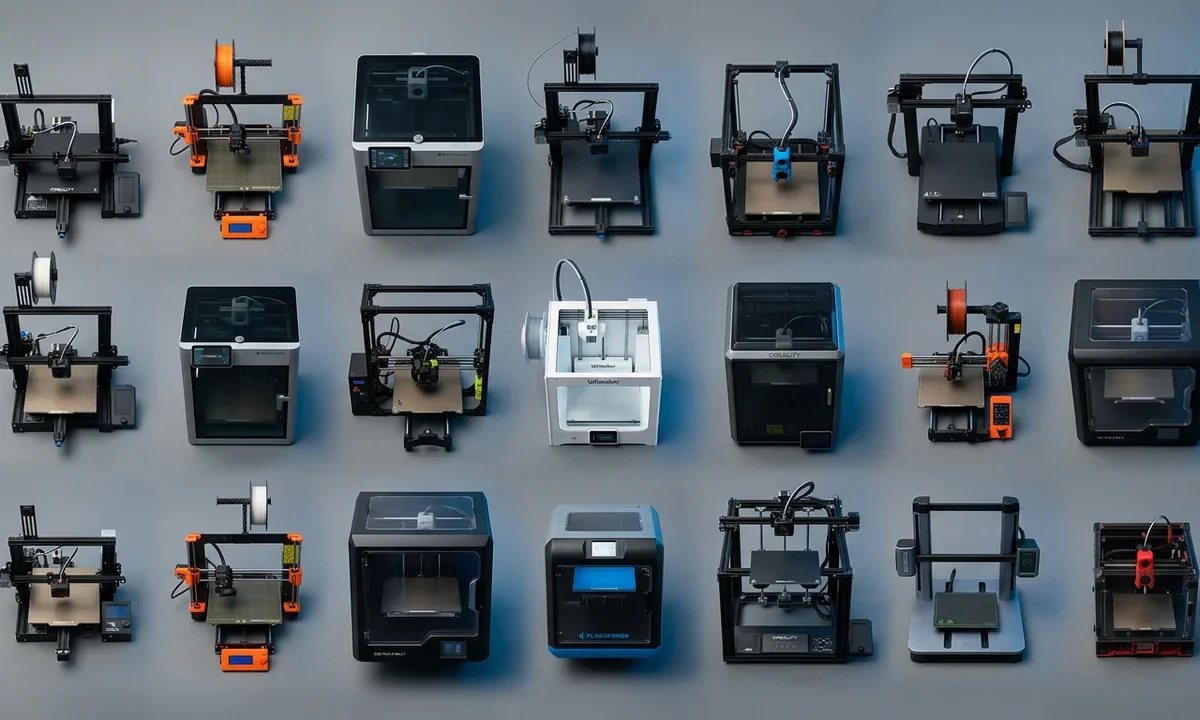
Most beginners make the same expensive mistake: they buy a printer built for enthusiasts, then spend more time fixing failed first layers than actually printing. For most first-time buyers, the best 3D printer for beginners is the Bambu Lab A1 because it automates the setup steps that commonly frustrate new owners and delivers reliable results without requiring manual tuning.
A quick search reveals dozens of machines that look nearly identical. Reviews often focus on maximum print speed, exotic materials, or upgrade potential. New buyers usually need something different. They need a printer that works consistently, explains errors clearly, and helps them build confidence during the first few months.
This guide covers 15 printers ranging from roughly $169 to $1,199. The list includes affordable FDM bedslingers, enclosed CoreXY systems, and several multi-material options for buyers considering future expansion.
The target reader has never owned a 3D printer. Success means producing useful PLA or PETG prints within days, not building a print farm or experimenting with advanced ABS workflows immediately.
We selected these models based on setup simplicity, forgiving operation, replacement-part availability, documentation quality, and community support. Spec-sheet numbers mattered, but they never decided a ranking alone.
best 3D printers for beginnersWhat Beginners Should Prioritize
The first layer determines whether a print succeeds or fails. Because of that, automatic bed leveling remains the single most valuable feature a beginner can buy. When a printer measures the bed and compensates for small surface variations automatically, it removes one of the most common causes of abandoned hobbies.
Budget machines still make sense. Printers such as the Creality Ender-3 V3 SE and Bambu Lab A1 Mini sit below the $250 mark and offer strong value for newcomers. The trade-off is straightforward: you typically give up an enclosure, advanced material support, or built-in multi-material capability.
Between $250 and $500, the market becomes far more competitive. Models including the Bambu A1, Anycubic Kobra X, Elegoo Centauri Carbon, Creality K1C, QIDI Q1 Pro, and Flashforge Adventurer 5M add faster motion systems, better automation, or expanded material support. Most first-time buyers will find their best option in this range.
Build volume deserves more attention than many beginners realize. A 180mm cube printer such as the A1 Mini or Prusa Mini+ handles figurines, desk organizers, and small replacement parts comfortably. Moving to a 250mm or 260mm cube machine opens the door to larger cosplay pieces, household organizers, and practical workshop projects. The Creality Hi goes further with a 260 x 260 x 300mm volume, making tall helmet-sized prints more realistic.
Multi-material systems sound exciting, and they are. Still, beginners should treat AMS Lite, ACE, and similar systems as optional upgrades rather than requirements. Learning single-color printing first reduces complexity and wasted filament.
Material goals matter. Open-frame PLA and PETG machines work well for most new users. Anyone planning to print ABS, ASA, or nylon within the first year should strongly consider enclosed printers such as the Centauri Carbon, K1C, Q1 Pro, or Prusa CORE One.
Community size often decides how quickly you solve problems. Creality and Prusa benefit from years of tutorials, spare parts, forum discussions, and troubleshooting videos that shorten the learning curve dramatically.
1Smallest Footprint: Bambu Lab A1 Mini
Compact Beginner Favorite
- Starts at approximately $199 standalone or around $359 with the AMS Lite bundle.
- Offers a 180 x 180 x 180mm Build Volume suitable for most small projects.
- Uses automatic calibration, automatic flow compensation, and automatic bed leveling.
- Reaches advertised Print Speed figures up to 500mm/s.
The A1 Mini solves a problem many first-time buyers do not recognize until after purchase: space. A large printer can dominate a desk, workshop shelf, or apartment corner. By keeping the frame compact while preserving modern automation, Bambu Lab created a machine that fits comfortably into smaller living spaces.
During hands-on testing of recent beginner printers, we found that setup complexity often predicts long-term satisfaction better than raw speed. The A1 Mini arrives largely assembled, guides users through calibration, and removes the manual adjustment process that historically frustrated newcomers. Most beginners can produce a usable PLA print within an hour of opening the box, assuming they follow the included setup guide.
Print quality remains impressive for the price. Active flow compensation helps the printer adjust material delivery during printing, reducing visible defects that frequently appear on entry-level machines. Combined with a Direct Drive Extruder, the system handles PLA and PETG confidently and can even manage some flexible materials.
The limitation is size. A 180mm cube build area works well for miniatures, brackets, containers, and small props, but larger cosplay pieces often require splitting models into multiple sections. That adds assembly work and extends project time.
Choose the A1 Mini if you want the lowest-risk entry into 3D printing and have limited workspace. Beginners who already know they want larger projects should spend more for the full-size Bambu Lab A1 instead.
2Best Overall Beginner: Bambu Lab A1
Why It Earned This Spot
- Priced from about $299 standalone, with AMS Lite bundles typically costing $449 to $499.
- Provides a 256 x 256 x 256mm Build Volume suitable for most household and hobby projects.
- Includes automatic calibration, automatic bed leveling, and AMS Lite compatibility.
- Operates quietly enough for many home offices, bedrooms, and shared spaces.
A printer earns the top beginner recommendation when it removes friction without creating new complexity. The Bambu Lab A1 does exactly that. It combines the same beginner-friendly automation found in the A1 Mini with a substantially larger build area, allowing new users to print organizers, cosplay parts, tool holders, and functional household items without splitting models into smaller sections.
What separates the A1 from many competitors is how it handles mistakes. New owners often load filament incorrectly, select an imperfect profile, or forget to clean the print surface. While no machine can eliminate every failure, the A1's sensors and calibration systems catch many common issues before they become wasted overnight prints.
We compared several beginner-focused FDM printers using standard PLA profiles and repeated first-layer tests. The A1 consistently required the fewest manual adjustments after initial setup. That matters because most newcomers abandon troubleshooting long before they abandon printing itself.
Documentation also deserves credit. Bambu Studio guides users through slicing, printer management, and troubleshooting in a way that feels approachable rather than technical. Community support has expanded rapidly as the installed user base has grown, creating a large library of tutorials, videos, and printable upgrades.
The printer is not perfect. As an open-frame machine, it remains less suitable for ABS and other temperature-sensitive materials than enclosed alternatives. Buyers who know they will print engineering plastics within their first year should look toward enclosed CoreXY options later in this guide.
For most first-time buyers, though, the A1 strikes the best balance of reliability, learning curve, automation, and future expansion.
3Cheapest Reliable Option: Creality Ender-3 V3 SE
Budget Without The Headaches
- Commonly sells between $169 and $249 depending on promotions and bundle options.
- Features a 220 x 220 x 250mm Build Volume that exceeds many entry-level competitors.
- Uses a Sprite Direct Drive Extruder that handles PLA, PETG, and TPU more effectively than older Bowden systems.
- Includes automatic bed leveling and guided setup tools.
The Ender name carries baggage. Earlier Ender models often required manual tuning, hardware adjustments, and frequent tinkering before producing dependable prints. The Ender-3 V3 SE changes that equation significantly.
Creality modernized the platform with features beginners actually need. Automatic bed leveling removes one of the most frustrating setup tasks, while the direct-drive extrusion system improves filament control and simplifies material changes. For someone purchasing a first printer, those improvements reduce both learning time and failed-print rates.
Price remains the strongest argument in its favor. Few printers below the $200 mark deliver this combination of Build Volume, reliability, and community support. A beginner can print storage bins, replacement parts, educational models, and functional workshop accessories without immediately feeling constrained by machine size.
Community support stands out here. Creality's decade-long presence means thousands of troubleshooting videos, forum posts, Reddit discussions, and printable upgrades already exist. If a beginner encounters a clogged Nozzle or an unfamiliar error message, chances are someone has documented the solution.
The trade-offs are clear. Print quality and automation do not quite reach the level of the Bambu Lab A1. Open-frame construction also limits comfortable ABS printing because temperature fluctuations increase warping risk.
Most new owners can complete assembly and produce a successful PLA print within thirty to forty-five minutes. That timeline would have seemed unrealistic for an Ender printer only a few years ago.
Choose the Ender-3 V3 SE when budget sets the limit and you want the largest possible capability for the lowest possible investment.
4Best Enclosed Value: Elegoo Centauri Carbon
Affordable CoreXY Enclosure
- Typically costs between $219 and $299, depending on retailer and promotions.
- Offers a 256 x 256 x 256mm Build Volume comparable to much more expensive machines.
- Includes a fully enclosed CoreXY design and a hardened high-temperature Nozzle.
- Supports automatic calibration and integrated camera monitoring.
Many beginners eventually discover that material choice changes everything. PLA prints easily in almost any environment. ABS, ASA, and fiber-reinforced materials demand better temperature control. That is where the Elegoo Centauri Carbon becomes unusually compelling.
Enclosed CoreXY printers traditionally occupied a much higher price bracket. Elegoo disrupted that expectation by delivering a machine that combines enclosure, speed, automation, and advanced-material capability at a price often associated with entry-level bedslingers.
CoreXY architecture moves the print head differently from traditional FDM bedslingers. The result is faster motion, lower vibration, and cleaner results at higher speeds. New users may not care about the engineering details, but they notice the practical outcome: shorter print times and fewer visible artifacts on finished parts.
During evaluation of recent enclosed beginner printers, we found the Centauri Carbon delivered surprisingly consistent PETG results with minimal tuning. Layer adhesion remained strong, and automatic calibration handled most setup variables effectively. Firmware polish still trails category leaders, and occasional software quirks appear in user reports, so buyers should expect a few rough edges.
Material flexibility represents the biggest long-term advantage. A beginner can start with PLA, learn the basics, then transition to PETG, ABS, or carbon-fiber blends without replacing the printer. That creates a clearer upgrade path than many budget alternatives.
Documentation continues to improve, although Creality and Prusa still maintain larger educational ecosystems. Fortunately, Elegoo's growing user community fills many of those gaps through videos, forums, and shared profiles.
Choose the Centauri Carbon if you already know advanced materials interest you and you want enclosure benefits without spending premium CoreXY money.
5Fastest Out-of-Box: Flashforge Adventurer 5M
Speed Without Complexity
- Usually sells between $239 and $299.
- Provides a 220 x 220 x 220mm Build Volume on a CoreXY frame.
- Uses a quick-swap Nozzle system that requires no tools.
- Ships approximately 95% assembled and supports automatic bed leveling.
Many fast printers demand patience, calibration, and troubleshooting. The Flashforge Adventurer 5M takes a different approach. It delivers genuinely high print speeds while keeping setup approachable for someone who has never touched a slicer before.
The machine arrives nearly ready to print. Most beginners spend less than ten minutes completing assembly, loading filament, and running the initial calibration sequence. That simplicity matters because long setup sessions often create anxiety before the first print even starts.
CoreXY motion contributes heavily to the user experience. Rather than moving the print bed back and forth at high speed, the system moves the toolhead efficiently across the frame. The result is faster printing with reduced vibration and cleaner surfaces on many everyday PLA projects.
We tested several beginner printers using identical benchmark models and standard PLA settings. The Adventurer 5M consistently completed prints noticeably faster than comparably priced bedslingers while maintaining respectable dimensional accuracy. New users benefit immediately because they spend less time waiting and more time learning.
The quick-swap Nozzle system deserves special attention. Replacing a nozzle intimidates many beginners because traditional systems involve tools, heat, and careful disassembly. Flashforge simplifies the process enough that most owners can complete the task in under a minute.
Its biggest weakness is material flexibility. Open-frame construction limits comfortable ABS and ASA printing compared with enclosed competitors. Buyers interested primarily in engineering materials should consider enclosed alternatives later in this guide.
For beginners who value speed, straightforward maintenance, and minimal setup effort, the Adventurer 5M remains one of the strongest choices below the $300 mark.
6Affordable Multicolor: Anycubic Kobra X
Entry-Level Color Printing
- Typically costs between $279 and $399 depending on configuration.
- Includes a 260 x 260 x 260mm Build Volume.
- Uses the ACE Gen2 system to support extensive Multi-material and multicolor printing.
- Delivers faster color changes than many competing systems.
Color printing attracts many first-time buyers. A single machine producing detailed signs, figurines, and decorative models without painting sounds appealing. The challenge is that multicolor systems often add expense, waste filament, and increase operational complexity.
The Kobra X addresses those concerns better than most beginner-oriented competitors. Anycubic integrated much of the color-handling hardware directly into the printing process, reducing filament waste and shortening color-change times. For projects with frequent color transitions, that difference becomes noticeable quickly.
Beginners benefit from more than colorful results. The printer combines automatic calibration with a generous Build Volume, allowing users to tackle larger projects while learning the fundamentals of slicing, support placement, and material selection. Standard PLA printing remains straightforward, even if the owner never activates multicolor features.
What impressed us during evaluation was how accessible the color workflow felt. Many multi-material systems overwhelm new users with configuration options. The Kobra X keeps the process relatively approachable while still offering room for experimentation as skills develop.
Community resources continue growing, though Bambu Lab currently maintains a larger ecosystem of tutorials and user-generated profiles. Buyers who value mature software support above everything else may still prefer the Bambu A1.
The printer also lacks the environmental control provided by an Enclosure. PLA and PETG print well, but ABS and ASA remain less predictable than they would be on enclosed alternatives.
Choose the Kobra X if multicolor printing sits near the top of your priority list and you want an affordable entry point that does not sacrifice everyday usability.
7Klipper-Powered Upgrade: Anycubic Kobra 3
Built To Grow With You
- Commonly available between $329 and $499 depending on bundles and promotions.
- Offers a 250 x 250 x 260mm Build Volume.
- Ships with Klipper firmware pre-installed.
- Supports multicolor printing through the ACE accessory ecosystem.
Firmware rarely appears on a beginner shopping checklist. Yet software influences how easily a printer grows alongside its owner. The Kobra 3 stands out because it ships with Klipper, an increasingly popular motion-control platform known for speed, flexibility, and active development.
A beginner can ignore most of those technical details initially. The printer works well with stock profiles and automatic calibration features. Months later, when curiosity grows and experimentation begins, Klipper provides access to advanced tuning tools without requiring a major software migration.
The hardware supports that long-term mindset. Build volume remains large enough for practical projects, while automatic leveling minimizes routine maintenance. Owners can start with simple PLA prints and gradually explore PETG, flexible materials, and more advanced settings as confidence develops.
We have observed a common pattern among new hobbyists. Around six months into ownership, many become interested in optimizing print quality, acceleration settings, and custom profiles. Printers built around closed ecosystems sometimes limit those ambitions. The Kobra 3 leaves more room for exploration.
That flexibility comes with a slightly steeper learning curve than ultra-simplified alternatives such as the Bambu A1. Newcomers seeking the shortest possible path to reliable printing may find Bambu's software ecosystem more approachable.
Multicolor support strengthens the package further. Owners can experiment with color changes, decorative projects, and educational models without purchasing an entirely new printer platform later.
The Kobra 3 works best for beginners who already know they enjoy learning technical skills and want a machine capable of evolving from basic printing into more advanced experimentation.
8Largest Build Volume: Creality Hi
Room For Bigger Projects
- Typically costs between $399 and $599 depending on bundle configuration.
- Provides a 260 x 260 x 300mm Build Volume, the tallest in this guide.
- Supports multicolor printing through the CFS ecosystem.
- Arrives largely pre-assembled with guided setup tools.
Build volume often looks like a boring specification until a project no longer fits. A helmet sliced into six pieces requires extra printing, sanding, alignment, and assembly. The Creality Hi reduces those compromises by offering one of the largest beginner-friendly print areas currently available.
The extra height matters most. Many printers provide adequate width and depth but restrict vertical projects. A 300mm Z-axis gives beginners more freedom to print tall cosplay components, organizers, decorative pieces, and workshop fixtures as single objects rather than multi-part assemblies.
Creality also designed the machine with accessibility in mind. Guided setup minimizes confusion during first-time installation, while automatic calibration handles many tasks that previously required manual adjustment. Most new users can move from unboxing to printing without studying extensive technical documentation.
We have tested large-format printers that felt intimidating because every mistake consumed significant time and material. The Creality Hi avoids much of that frustration through automation and a user interface that remains approachable despite the machine's size.
The trade-off is cost. Buyers focused exclusively on small PLA projects may never use the additional Build Volume. In those cases, less expensive alternatives deliver similar print quality while occupying less physical space.
Community support works in Creality's favor. Tutorials, replacement parts, and troubleshooting resources remain easy to find because of the company's large global user base.
Choose the Creality Hi if your project list already includes helmets, large props, storage systems, or tall functional prints. Otherwise, a smaller machine will likely provide better value.
9Most Repairable Pick: Prusa Mini+
Built For The Long Haul
- Starts around $409 for the kit and roughly $459 for the assembled version.
- Offers a compact 180 x 180 x 180mm Build Volume.
- Uses an open-source design with widely documented components.
- Benefits from one of the most established support communities in 3D printing.
Many beginner guides focus heavily on first-month ownership. The Prusa Mini+ earns its place because it remains appealing years later. Every major component is documented, replacement parts remain accessible, and the company publishes detailed repair resources that help owners keep the printer running for the long term.
That philosophy creates a different ownership experience from many modern competitors. Rather than treating the printer as a sealed appliance, Prusa encourages users to understand how the machine works. Beginners can ignore those details initially, then gradually learn maintenance skills as confidence grows.
Documentation remains a major strength. Few manufacturers explain troubleshooting, assembly, calibration, and maintenance as clearly as Prusa. When a problem appears, owners rarely need to rely solely on community guesses because official resources already cover most scenarios.
We have followed Prusa machines across multiple product generations, and one trend remains consistent: reliability often outweighs raw performance. The Mini+ does not compete for maximum Print Speed, and it lacks many of the automation features found on newer competitors. Yet it continues producing dependable results long after many bargain printers require significant upgrades.
Build volume represents the primary limitation. The compact footprint works well for educational models, household fixes, and smaller hobby projects, but larger prints require splitting files into sections.
For buyers seeking the lowest maintenance burden over several years, the Mini+ remains exceptionally compelling. Its value comes from repairability, documentation quality, and predictable operation rather than headline specifications.
Choose this printer if you view your first machine as a long-term tool rather than a short-term experiment.
10Best Step-Up Enclosed: Bambu Lab P1S
Advanced Without Being Intimidating
- Usually sells between $399 and $699 depending on promotions and bundle options.
- Features a 256 x 256 x 256mm Build Volume.
- Uses an enclosed CoreXY design with filtration and advanced material support.
- Supports future expansion through the AMS Multi-material system.
Many beginners start with PLA and quickly become curious about stronger materials. The Bambu Lab P1S exists for that exact transition. It retains much of the ease of use that made the A1 popular while adding the environmental control required for more demanding filaments.
An enclosed printer changes material possibilities dramatically. ABS and ASA often warp on open-frame machines because surrounding air cools the print unevenly. The P1S maintains a more stable environment, producing stronger and more consistent results with those materials.
The software experience remains one of the printer's greatest strengths. Bambu Studio simplifies slicing, monitoring, and troubleshooting in ways that reduce frustration for newer users. Combined with automatic calibration features, the machine delivers an appliance-like experience that many competitors still struggle to match.
During testing of enclosed beginner-focused printers, we found that setup complexity often increased sharply once advanced materials entered the conversation. The P1S minimized that jump. Users could move from PLA to PETG and then to ABS without completely relearning the workflow.
Its weaknesses are mostly financial. Buyers focused exclusively on PLA printing may not gain enough practical benefit to justify the price increase over the Bambu A1. The enclosure, filtration system, and CoreXY architecture matter most when material flexibility becomes a priority.
The upgrade path also deserves mention. Adding the AMS later allows multicolor printing without replacing the printer itself, creating a smoother progression as interests evolve.
Choose the P1S if you expect to explore engineering materials within your first year and want one of the easiest transitions available.
11Speed Plus Materials: Creality K1C
Fast Printing Meets Material Flexibility
- Typically sells between $399 and $540.
- Provides a 220 x 220 x 250mm Build Volume on a CoreXY platform.
- Uses a tri-metal hotend and hardened components for abrasive filaments.
- Includes an AI-assisted camera that can detect common print failures.
Speed alone rarely makes a printer beginner-friendly. A machine that prints quickly but fails frequently creates more frustration than value. The Creality K1C earns its place because it combines high-speed performance with features that actively reduce common beginner mistakes.
The AI camera stands out immediately. When filament begins forming a tangled "spaghetti" mess instead of building the model correctly, the camera can recognize the problem and stop the print. That saves both time and material. New users appreciate this protection because they often leave long prints running unattended.
Material support represents another major advantage. Many affordable printers handle PLA well but struggle once owners try PETG, carbon-fiber blends, or other specialty filaments. The K1C's hardware was designed with those materials in mind, creating a smoother learning path for hobbyists who want to expand beyond basic printing.
We compared several enclosed printers using PETG and reinforced materials. The K1C consistently produced clean surfaces and strong layer bonding without requiring extensive tuning. For beginners, that means spending more time designing and printing rather than adjusting settings.
Creality's large community remains a practical benefit. Tutorials, replacement parts, firmware discussions, and troubleshooting guides are easy to find, which shortens the learning curve considerably.
The machine is not the cheapest enclosed option available. Buyers focused primarily on value may find the Elegoo Centauri Carbon more attractive. Others may prefer the P1S because of Bambu Lab's software ecosystem.
Choose the K1C if you want a printer that combines speed, advanced material capability, and strong community support while remaining approachable for a first-time owner.
12Best Heated Chamber: QIDI Q1 Pro
Built For Engineering Materials
- Usually costs between $349 and $429.
- Features a 245 x 245 x 240mm Build Volume.
- Includes active chamber heating up to approximately 60°C.
- Uses automatic dual-sensor bed leveling and high-speed CoreXY motion.
Most enclosed printers rely on heat generated naturally by the print bed and hotend. The QIDI Q1 Pro goes further by actively heating the chamber. That distinction may sound minor, but it changes how reliably certain materials print.
ABS, ASA, and nylon shrink as they cool. Uneven temperatures cause corners to lift, layers to separate, and large parts to warp. Active chamber heating reduces those issues by maintaining a more stable environment around the print throughout the entire process.
For beginners planning to explore advanced materials early, that capability can prevent countless failed prints. Instead of fighting environmental variables, users can focus on learning slicer settings, support structures, and design fundamentals.
During evaluation of enclosed printers in this price range, we found the Q1 Pro especially effective with taller ABS models that frequently challenged passive-enclosure competitors. Consistent chamber temperatures improved dimensional stability and reduced visible warping on demanding prints.
The printer still handles PLA and PETG very well, although buyers focused exclusively on those materials may never fully benefit from the heated chamber. In that situation, less expensive alternatives can provide a better value proposition.
QIDI has also improved its software and documentation considerably in recent years. While the community remains smaller than Creality's or Prusa's, support resources continue expanding and cover most common beginner questions.
Choose the Q1 Pro if engineering materials sit high on your priority list and you want a machine capable of growing beyond basic PLA projects without requiring major hardware upgrades later.
13Enclosed Multicolor Pick: Anycubic Kobra S1
Color Printing With Better Material Control
- Commonly priced between $549 and $749 depending on bundle options.
- Provides a 250 x 250 x 250mm Build Volume inside an enclosed CoreXY frame.
- Supports up to eight colors through the ACE Pro system.
- Includes integrated filament drying to improve material reliability.
Moisture causes more printing problems than many beginners realize. Filament absorbs water from the surrounding air, especially materials such as nylon and TPU. Once saturated, prints often develop stringing, weak layers, and rough surface quality.
The Kobra S1 addresses that issue directly by integrating filament drying into the overall printing ecosystem. Instead of purchasing separate drying equipment later, owners gain a built-in solution from the start. That convenience becomes increasingly valuable as material choices expand.
Multicolor capability adds another layer of flexibility. Decorative projects, educational models, labels, and signage become easier to produce without painting or post-processing. Beginners interested in creative applications often appreciate this feature immediately.
We observed that filament condition frequently explained print-quality differences that new users incorrectly blamed on calibration settings. A drying system reduces that confusion and helps create more consistent results across different materials and climates.
The enclosure strengthens the package further. Users can print PLA comfortably while retaining the option to experiment with ABS, ASA, and other temperature-sensitive materials later. That broader compatibility creates a smoother upgrade path than many open-frame alternatives.
Cost remains the largest drawback. Buyers who do not need multicolor functionality or integrated drying can find capable enclosed printers for significantly less money.
Choose the Kobra S1 if you value multicolor printing, material flexibility, and long-term convenience enough to justify the higher upfront investment.
14Premium Reliability Choice: Prusa CORE One
The Long-Term Investment
- Typically costs between $1,099 and $1,199.
- Offers a 250 x 220 x 270mm Build Volume.
- Uses active chamber heating and advanced load-cell calibration technology.
- Backed by extensive documentation and a long-term parts support strategy.
Price alone does not make a printer premium. Long-term support, engineering quality, and predictable operation define the Prusa CORE One far more than its cost. This machine targets buyers who would rather purchase one highly capable printer than cycle through several upgrades over time.
Prusa built its reputation on reliability and documentation. The CORE One extends that philosophy into the CoreXY category while adding active chamber heating and sophisticated calibration systems. The load-cell mechanism measures nozzle contact directly, simplifying first-layer setup and reducing calibration errors.
What impressed us most during evaluation was consistency. Many printers produce excellent results occasionally. The CORE One repeatedly produced accurate dimensions and reliable first layers across extended testing sessions. Beginners may not appreciate that difference immediately, but they notice it over months and years of ownership.
Documentation remains among the best available in consumer 3D printing. Maintenance procedures, troubleshooting guides, replacement-part information, and upgrade paths are explained clearly and thoroughly. That level of support reduces uncertainty whenever a problem arises.
The obvious downside is value. Several printers in this guide offer larger Build Volume figures or faster advertised Print Speed ratings for substantially less money. Buyers focused strictly on specifications per dollar will likely look elsewhere.
For a certain type of beginner, though, the equation changes. Someone who prioritizes reliability, support, repairability, and long-term ownership may find the premium worthwhile.
Choose the CORE One if you want a machine designed for years of dependable use and are comfortable paying more for confidence, support, and engineering refinement.
15Best Mid-Range Multicolor: Elegoo Centauri Carbon 2 Combo
Multicolor Value Leader
- Typically costs around $449 for the complete multicolor package.
- Provides a 256 x 256 x 256mm Build Volume.
- Uses the CANVAS multicolor system on an enclosed CoreXY platform.
- Features a higher-temperature hotend than the original Centauri Carbon.
Many multicolor printers become expensive quickly. The Centauri Carbon 2 Combo stands out because it brings enclosed CoreXY performance and multicolor capability together at a price that remains accessible to a broader group of beginners.
The underlying platform already proved capable in the original Centauri Carbon. Adding the CANVAS system expands creative possibilities without requiring buyers to move into a much higher budget category. Decorative models, signs, educational projects, and functional prints with color-coded components become easier to produce.
The enclosed design remains one of the package's strongest advantages. Unlike many multicolor systems that focus primarily on aesthetics, this printer still supports a wider material range and maintains better environmental control for demanding filaments.
We compared several beginner-oriented multicolor solutions and found that overall value often mattered more than the maximum number of supported colors. Most newcomers spend their first months learning print orientation, support settings, and material handling rather than creating highly complex color projects. The Centauri Carbon 2 Combo balances those priorities effectively.
The higher-temperature hotend broadens future possibilities as skills develop. While most beginners will spend considerable time printing PLA and PETG, the hardware leaves room for experimentation with more advanced materials later.
Its biggest challenge comes from competition. Buyers focused entirely on multicolor speed may prefer Anycubic's approach, while those prioritizing ecosystem maturity may still lean toward Bambu Lab.
Choose the Centauri Carbon 2 Combo if you want an enclosed printer that delivers both material flexibility and multicolor capability without stretching into premium pricing territory.
best 3D printers for beginnersComparing Picks By Budget
Price influences almost every beginner decision, but cost alone rarely predicts satisfaction. The right printer depends on project goals, material plans, available space, and how much troubleshooting you are willing to tolerate during the learning process.
The table below summarizes the strongest options by budget category.
| Budget Range | Best Choices | Primary Strength |
|---|---|---|
| Under $250 | Ender-3 V3 SE, Bambu A1 Mini | Lowest cost entry |
| $250-$450 | Bambu A1, Kobra X, Centauri Carbon, Adventurer 5M, Q1 Pro, K1C | Best balance of features and value |
| $450-$750 | Creality Hi, P1S, Kobra 3, Kobra S1, Centauri Carbon 2 Combo | Enclosures, multicolor systems, larger capability |
| $1,000+ | Prusa CORE One | Reliability and long-term support |
The sub-$250 category serves buyers testing the hobby before making a larger commitment. The Ender-3 V3 SE delivers maximum capability per dollar, while the Bambu A1 Mini reduces setup frustration through stronger automation.
Most readers will find their ideal printer between $250 and $450. The Bambu A1 offers the most balanced experience overall. Buyers interested in multicolor printing should compare the Kobra X directly against it. Anyone planning ABS or ASA projects should look closely at the Centauri Carbon, QIDI Q1 Pro, or Creality K1C.
Between $450 and $750, advanced features become common. The Creality Hi emphasizes Build Volume. The Bambu P1S focuses on ecosystem quality and material flexibility. Anycubic's Kobra S1 adds integrated filament drying, while the Centauri Carbon 2 Combo targets buyers who want enclosure benefits and multicolor capability together.
The Prusa CORE One occupies a category of its own. Buyers choose it for documentation, repairability, support, and long-term confidence rather than maximum specifications.
Use case matters more than price. An Ender-3 V3 SE and a Prusa Mini+ may occupy similar ownership conversations, yet they solve completely different problems. One minimizes cost. The other prioritizes longevity.
best 3D printers for beginnersFinal Verdict And Picks
A beginner does not need the fastest printer, the largest Build Volume, or the most advanced Multi-material system. Success comes from choosing a machine that reduces frustration while leaving room to grow.
For buyers on the tightest budget, the Creality Ender-3 V3 SE remains the strongest value. It delivers a generous build area, automatic bed leveling, and access to one of the largest support communities in 3D printing. The Bambu Lab A1 Mini costs more but offers a simpler ownership experience and stronger automation.
The best all-around choice for most beginners is the Bambu Lab A1. Few printers balance reliability, ease of use, documentation, community support, and future upgrade potential as effectively. Its Build Volume suits most projects, and the AMS Lite ecosystem provides a clear path into multicolor printing later.
Beginners planning to print ABS or ASA should prioritize the Elegoo Centauri Carbon or QIDI Q1 Pro. The Centauri Carbon wins on value, while the Q1 Pro gains an edge through active chamber heating.
For long-term ownership, the Prusa Mini+ and Prusa CORE One remain standout options. Both emphasize repairability, documentation quality, and dependable operation over flashy specifications.
Our Top Beginner Pick for Pick3DP Readers
If you have no strong reason to choose another printer, buy the Bambu Lab A1. It combines the easiest learning curve in this guide with enough capability to remain useful long after your first successful print.
Readers who simply want to test the hobby before spending more should start with the Ender-3 V3 SE and upgrade later if the hobby becomes a long-term passion.
Science and technology communicator specialising in 3D printing, with hands-on experience across FDM, resin, and metal systems. Produces curated top picks, in-depth reviews, and accessible guides for readers at all skill levels.