
FDM vs DLP: Thermoplastic Filament vs Professional Vat Polymerization

FDM vs DLP isn't just a specs debate - it's about what your projects actually need. If you've been stuck between the two, this breakdown will clear it up.
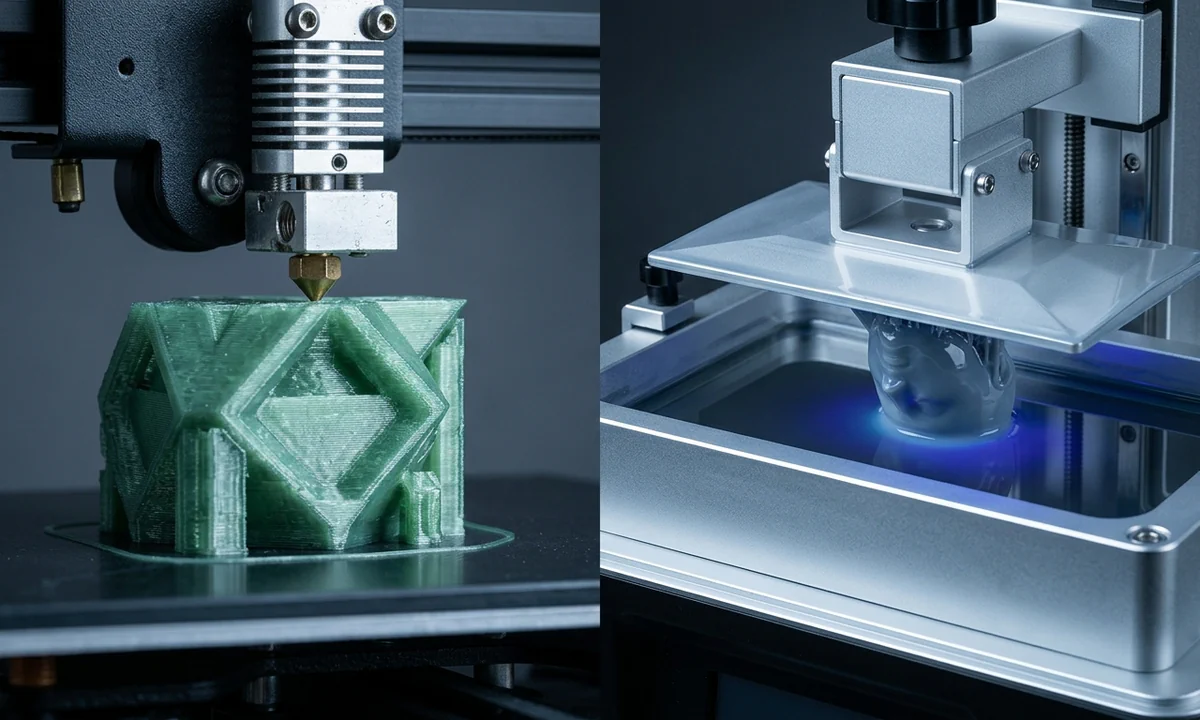
A maker shopping for a second printer often compares two machines that solve different problems. FDM builds parts by extruding melted thermoplastic filament, while DLP creates parts by curing liquid photopolymer resin with projected light. The practical difference is straightforward: FDM prioritizes material choice, size, and functional durability; DLP prioritizes fine detail, smooth surfaces, and small-feature precision.
Confusion starts because both technologies produce layer-based 3D prints and both now sit within reach of hobbyist budgets. A desktop FDM printer and a desktop DLP printer can occupy the same workbench, yet they reward very different workflows. One asks you to manage spools, nozzle temperatures, and mechanical tuning. The other asks you to handle resin, washing, curing, and chemical safety.
Marketing rarely helps. Manufacturers often advertise dimensional accuracy, speed, and resolution without explaining how those measurements translate into real parts. A miniature figure, a dental model, and a functional bracket all judge success by different criteria.
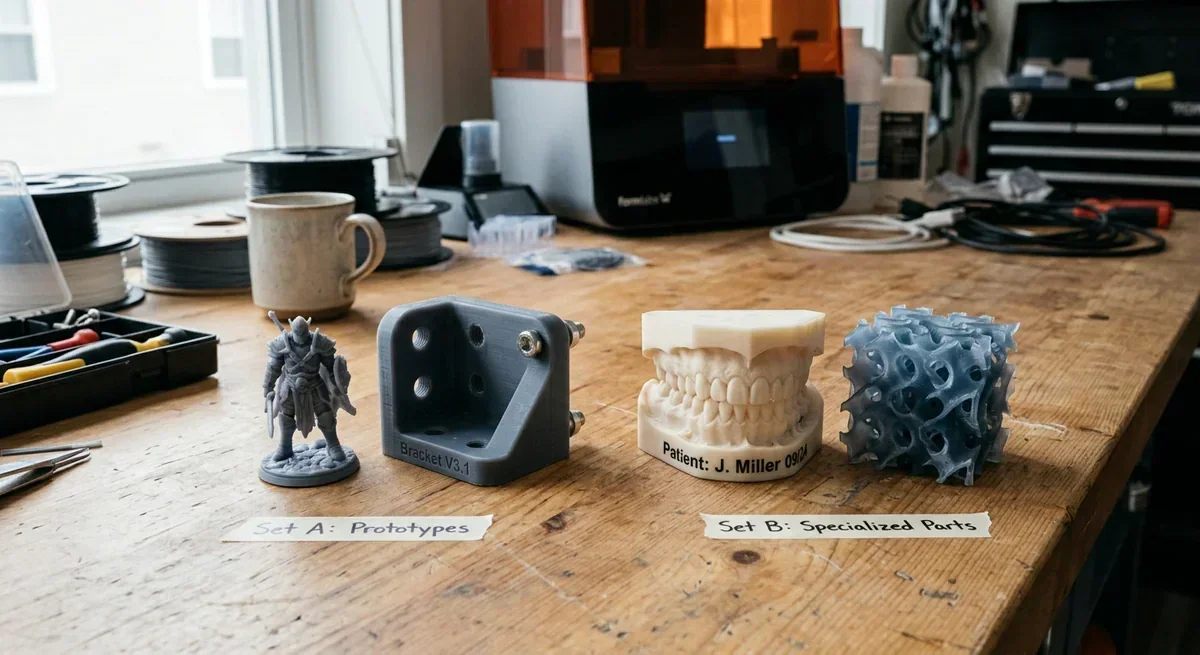
A comparison of FDM and DLP 3D printed items: Set A features prototypes like a figure and bracket, while Set B showcases specialized parts such as a dental model and intricate lattice structure, highlighting the diverse applications of each technology.
The real decision is not which technology wins. It is which output matters most to you.
Quick take: choose FDM for functional parts and material flexibility; choose DLP for small, highly detailed models and professional surface quality.
FDM vs DLPHow FDM Actually Works
Molten plastic exits a heated nozzle one thin road at a time. Fused Deposition Modeling (FDM) feeds thermoplastic filament from a spool through a hot end, melts it, and deposits it onto a build plate according to toolpaths generated by slicing software. Each layer bonds to the layer beneath it until the complete object takes shape.
Most desktop systems print layer heights between 0.08 mm and 0.30 mm. Lower layers improve surface appearance but increase print time. A standard 0.4 mm nozzle remains the most common configuration, though users frequently install larger nozzles for faster production or smaller ones for finer detail.
Material choice explains much of FDM's popularity. PLA, PETG, ABS, ASA, TPU, nylon, polycarbonate, and carbon-fiber-filled blends all exist within the broader ecosystem. Not every printer handles every material, particularly engineering polymers that require enclosed chambers and higher temperatures, but the range remains unusually broad.
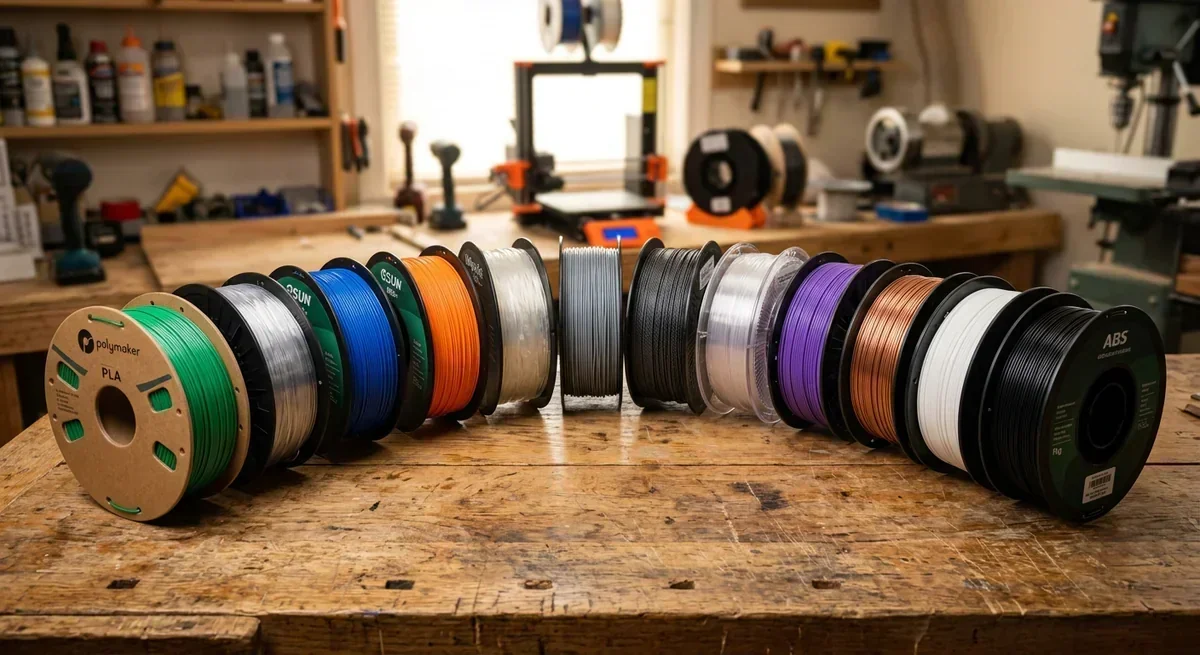
A diverse selection of 3D printing filaments, such as PLA and ABS, highlights the material versatility in FDM printing.
Build volume also favors FDM. Machines such as the Prusa MK4S, Bambu Lab X1C, and Creality K1 series routinely produce parts far larger than typical desktop DLP systems. Large cosplay components, workshop jigs, replacement machine covers, and robotic assemblies fit naturally into the process.
Mechanical behavior deserves attention. Layer adhesion creates anisotropy, meaning a part often resists forces differently depending on print orientation. A bracket loaded across layer lines may fail sooner than one printed with layers aligned to the expected stress path.
Surface finish remains the most visible limitation. Even well-tuned machines leave layer lines that require sanding, filling, or chemical finishing if appearance matters. Tiny embossed text, jewelry-scale features, and miniature figurines expose those limitations quickly.
For functional prototyping, though, FDM remains difficult to beat. Material costs stay low, spare parts are widely available, and the workflow scales from hobby workshops to professional engineering teams running printer farms.
FDM vs DLPHow DLP Actually Works
A shallow vat of liquid resin replaces the filament spool. Digital Light Processing (DLP) printers project ultraviolet light through an optical system that cures an entire layer of photopolymer simultaneously. Instead of drawing each layer line by line, the machine exposes a complete image and solidifies that cross-section in one step.
Many newcomers confuse DLP with SLA. Traditional SLA systems steer a laser across the resin surface and trace geometry point by point. DLP uses a digital projector that exposes the whole layer at once. The result is a different balance between speed, resolution, and optical complexity.
XY resolution depends on projected pixel size rather than nozzle diameter. Fine features, sharp corners, engraved details, and smooth organic surfaces generally look better on a DLP machine than on an equivalently priced FDM printer. Layer heights commonly range from 0.025 mm to 0.10 mm, and visible layer transitions can become remarkably subtle.
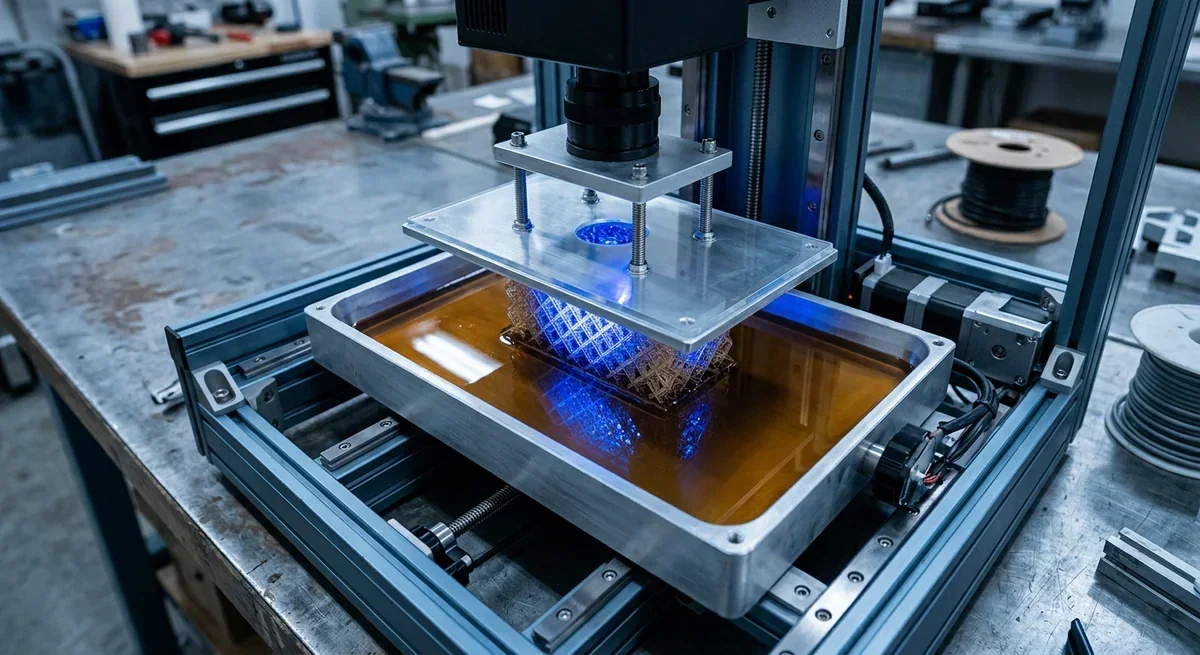
A DLP 3D printer uses a digital projector to cure resin, producing fine details and smooth surfaces ideal for complex designs.
Dental laboratories helped drive adoption. Jewelry casting patterns, hearing-aid shells, miniature gaming figures, and presentation-grade prototypes also fit the technology exceptionally well. Systems from companies such as Asiga, EnvisionTEC, and SprintRay demonstrate why professional users continue investing in vat photopolymerization workflows.
Trade-offs arrive immediately after printing. Operators remove parts from the build platform, wash away uncured resin, and complete a secondary UV curing cycle. Gloves, ventilation, cleaning solvents, and resin handling procedures become routine parts of ownership.
Material performance varies widely. Engineering resins continue improving, and some formulations now offer impressive toughness, flexibility, or heat resistance. Even so, many photopolymers remain more brittle than common FDM materials such as PETG or nylon.
Build volume presents another constraint. Desktop DLP systems often sacrifice size to maintain high optical precision. Large functional parts therefore become less economical.
When detail dominates the requirements list, DLP frequently delivers results that FDM simply cannot match. The added workflow complexity is the price of that precision.
FDM vs DLPHead-to-Head: Every Dimension Compared
Two printers can produce objects that look superficially similar while demanding completely different compromises. The gap narrows in a few areas, particularly for general prototyping, but several categories still separate FDM and DLP quite clearly.
The table below summarizes the criteria that most buyers actually care about.
| Category | FDM | DLP | Winner |
|---|---|---|---|
| Mechanism | Extrudes melted thermoplastic through a nozzle | Projects UV light into liquid resin | Depends on application |
| Material Options | PLA, PETG, ABS, ASA, TPU, nylon, PC, composites | Standard, tough, flexible, castable, dental resins | FDM |
| Surface Finish | Visible layer lines common | Very smooth surfaces and fine detail | DLP |
| Dimensional Accuracy | Strong for functional parts when calibrated | Excellent on small detailed geometries | Close |
| Build Volume | Typically larger | Typically smaller | FDM |
| Consumable Cost | Lower per kilogram | Higher per liter | FDM |
| Print Speed | Varies by geometry and layer count | Entire layers cure simultaneously | DLP |
| Post-Processing | Support removal, occasional sanding | Washing and UV curing required | FDM |
| Maintenance | Nozzles, beds, extruders | Resin vats, films, optical components | Close |
| Best Use Cases | Functional parts, tools, prototypes | Miniatures, dental, jewelry, display models | Depends on goal |
Upfront cost rarely decides the argument anymore. A capable consumer FDM machine often sells between $300 and $1,500, while desktop DLP systems generally occupy the $500 to $3,000 range. The gap exists, but it is no longer dramatic.
Consumable costs tell a different story. Standard PLA frequently costs $15 to $30 per kilogram. Engineering filaments push higher, but many remain affordable. DLP resins commonly range from $40 to $200 per liter, with specialty dental or casting formulations reaching substantially higher prices.
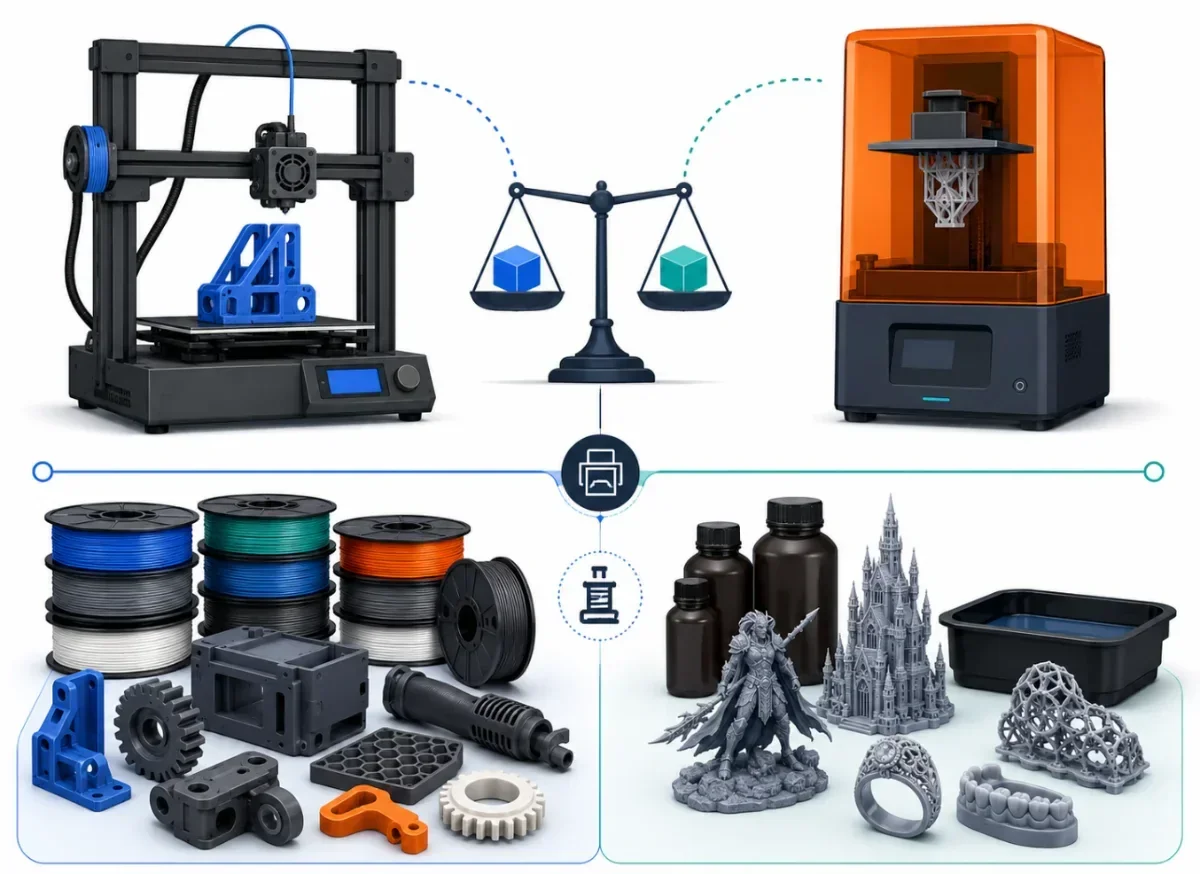
This image illustrates the differences between FDM and DLP 3D printing technologies, highlighting filament spools and resin prints, showcasing their respective outputs and materials.
Surface quality is not a close contest. DLP wins decisively for miniatures, intricate textures, embossed lettering, and presentation models. An experienced FDM operator can produce excellent cosmetic parts, yet matching a quality DLP print often requires extensive finishing work.
Material versatility swings strongly toward FDM. Need flexible TPU, weather-resistant ASA, carbon-fiber nylon, or food-contact capable PETG? FDM offers a broader menu. DLP resin portfolios continue expanding, but they remain more specialized.
Speed comparisons create confusion because both camps can claim victory. A large, sparse engineering bracket may print faster on FDM. A build plate packed with fifty miniatures often favors DLP because the projector cures every layer simultaneously regardless of part count.
The maintenance picture lands surprisingly close. FDM users fight nozzle clogs, bed adhesion problems, and occasional extrusion issues. DLP users replace vat films, clean resin systems, and protect optical components from contamination.
Three differences matter most: detail quality, material flexibility, and workflow complexity. Those factors usually determine the correct choice long before specifications do.
FDM vs DLPWhich Should You Choose?
A workshop producing replacement machine parts faces a very different challenge from a designer creating jewelry masters. That distinction matters more than any specification sheet.
Choose FDM if you primarily print functional objects. Mechanical brackets, tool holders, enclosures, drone components, cosplay armor sections, robotics parts, and workshop fixtures all benefit from the material range and lower operating costs. The ability to switch between PLA, PETG, TPU, nylon, and other thermoplastics gives FDM unusual flexibility.
Choose DLP if appearance and feature resolution dominate your requirements. Tabletop miniatures, dental models, collectible figures, master patterns, and presentation prototypes routinely look better when produced through vat photopolymerization. Fine surface textures survive the process far more effectively.
The decision framework becomes clearer when viewed through real scenarios:
- Functional engineering prototype → FDM
- Miniature gaming figures → DLP
- Large cosplay components → FDM
- Jewelry casting patterns → DLP
- Outdoor utility parts in ASA or PETG → FDM
- Dental and orthodontic models → DLP
- Flexible parts requiring TPU → FDM
- Display-quality concept models under 150 mm → DLP
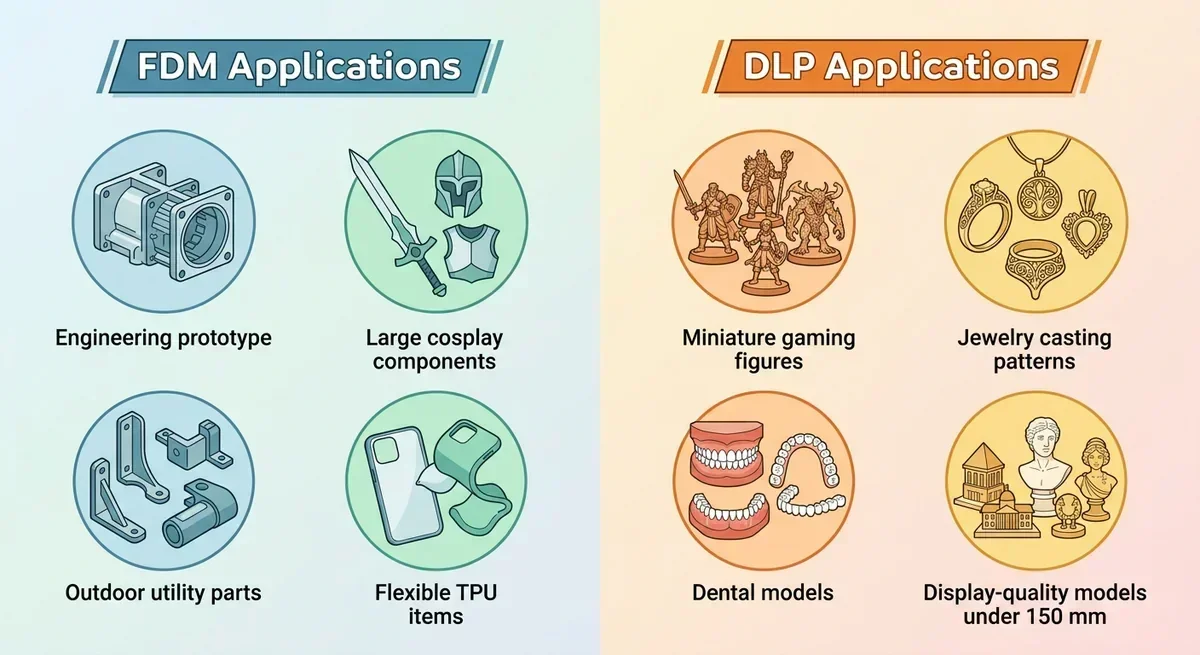
This image illustrates the applications of FDM and DLP 3D printing technologies, highlighting their use in engineering, cosplay, gaming, and dental models.
Readers who fit both profiles should ask one tiebreaker question: what frustrates you more, visible layer lines or resin handling?
That question cuts through most indecision. If cleaning resin, wearing gloves, managing wash stations, and curing parts sounds annoying, FDM likely fits your workflow better. If sanding layer lines and compromising on tiny details sounds worse, DLP becomes more attractive.
Many small professional shops eventually stop choosing. They run both technologies side by side. FDM handles structural components, production fixtures, and larger prototypes. DLP covers highly detailed parts, customer presentation models, and specialty applications where visual quality drives value.
For most expanding makers, adding a second technology creates more capability than replacing the first. The technologies compete on paper, but they often complement each other in practice.
FDM vs DLPReal Costs: Setup and Running
Sticker price only tells part of the story. The first year of ownership usually exposes costs that buyers overlook during comparison shopping.
An entry-level FDM setup starts around $250 to $500, while enthusiast-grade systems commonly land between $700 and $2,000. Filament costs remain attractive. PLA typically sells for $15 to $30 per kilogram, PETG for $20 to $40, and engineering materials at higher prices depending on formulation.
DLP hardware generally starts around $500 and climbs beyond $3,000 for professional systems. Resin often costs $40 to $100 per liter for standard formulations. Specialty dental, casting, or engineering resins can exceed $150 per liter.
Accessories widen the gap. Most FDM owners eventually add spare nozzles, replacement build surfaces, storage containers, and sometimes an enclosure. Many users spend another $50 to $400 beyond the printer itself.
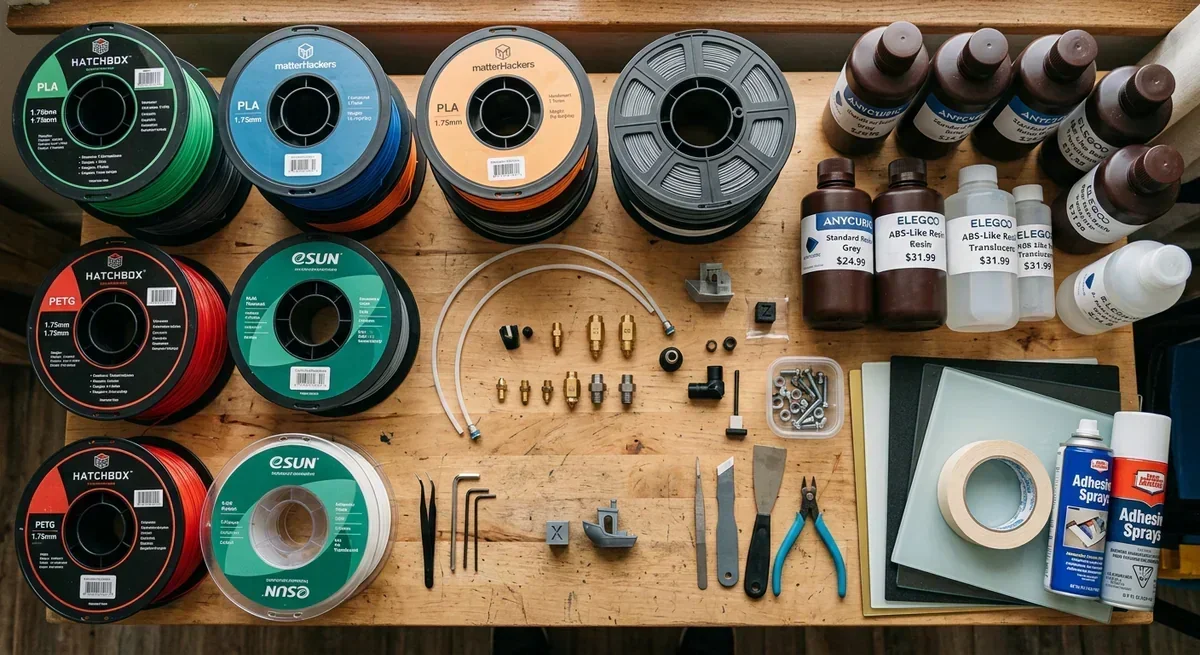
A comparison of FDM and DLP 3D printing materials and tools, highlighting the diversity in filament and resin options for different applications.
DLP ownership almost always requires additional equipment. Wash stations, cure stations, nitrile gloves, filters, cleaning alcohol, and resin-handling supplies frequently add $150 to $600 during the first year.
Maintenance costs remain manageable for both technologies. FDM users replace nozzles, fans, belts, and occasional hot-end components. DLP users replace vat films, maintain optical systems, and consume cleaning materials more regularly.
A realistic first-year budget often looks like this:
| Category | FDM | DLP |
|---|---|---|
| Hardware | $250-$2,000 | $500-$3,000+ |
| Consumables | $100-$500 | $200-$1,000+ |
| Accessories | $50-$400 | $150-$600 |
| Typical First-Year Total | $400-$2,900 | $850-$4,600+ |
FDM remains the lower-cost path for most hobbyists. DLP justifies its higher operating costs when fine detail and surface quality directly support the intended application.
FDM vs DLPDimensional Accuracy and Surface Finish
A printed part can look impressive and still miss critical dimensions. Many buyers treat surface finish and dimensional accuracy as the same metric, but they are not. One describes appearance; the other measures how closely the finished object matches the intended geometry.
FDM accuracy depends on nozzle diameter, extrusion consistency, machine calibration, material shrinkage, and slicer settings. Well-tuned desktop machines commonly achieve dimensional tolerances around ±0.1 mm to ±0.3 mm on practical parts. Results vary with geometry, material choice, and print orientation.
DLP approaches the problem differently. Projected pixels define feature boundaries, while photopolymerization hardens the resin layer by layer. High-end systems can produce extremely sharp details and smooth surfaces with tolerances that often fall within similar ranges on small parts. The visual result frequently looks more precise even when measured dimensional differences are modest.
That distinction matters.
Many newcomers assume DLP automatically outperforms FDM in every accuracy category. Reality is more complicated. A large mechanical enclosure, printed in a stable engineering filament and properly calibrated, may match its design dimensions better than a large resin part affected by curing shrinkage. Conversely, a miniature with engraved text and tiny decorative features almost always benefits from DLP.
Layer height influences appearance more than dimensional fidelity. Dropping an FDM print from 0.20 mm layers to 0.08 mm layers reduces visible stepping on curved surfaces, but it does not magically turn the printer into a miniature-production machine. Pixel size and optical resolution still favor DLP for extremely fine features.
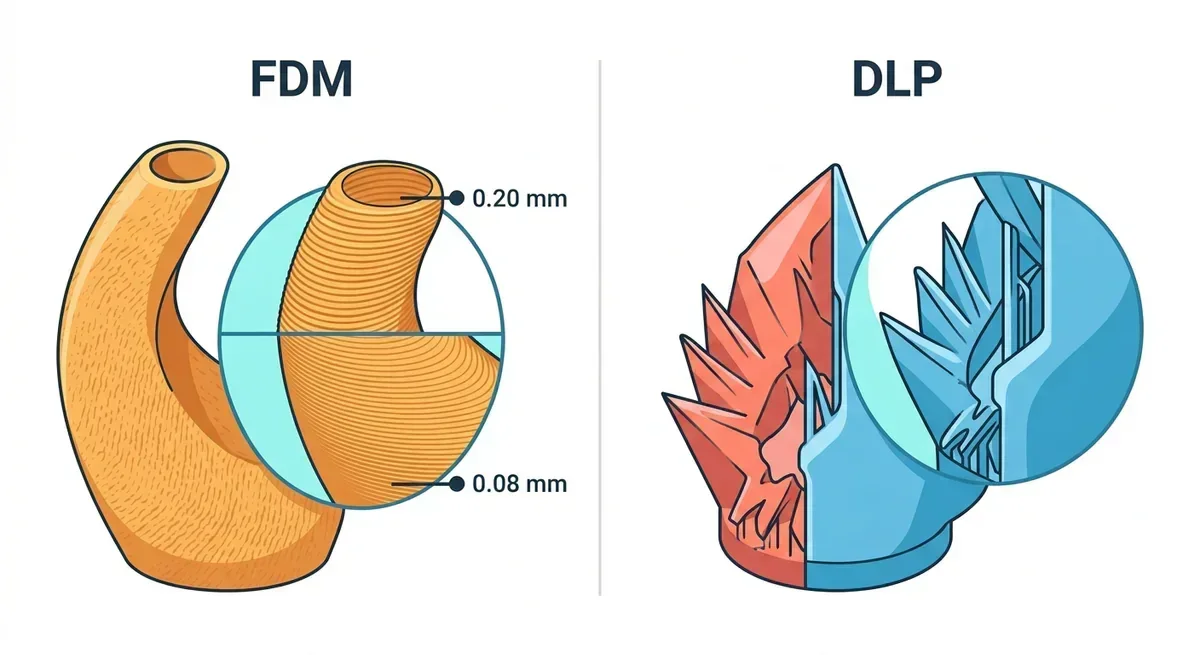
Illustration comparing FDM and DLP 3D printing techniques, highlighting FDM's layer height options and DLP's fine detail capabilities.
Post-processing changes the equation for both technologies.
FDM users can sand surfaces, apply filler primers, vapor-smooth compatible plastics, or machine critical features after printing. Many professional-looking FDM models owe part of their appearance to finishing work rather than raw print quality.
DLP users wash away uncured resin and perform secondary UV curing. Additional sanding, polishing, and coating remain possible, though many prints already emerge with presentation-grade surfaces. Careless curing, however, can introduce warping or dimensional changes.
For visual quality, DLP wins decisively. For functional accuracy across larger engineering parts, the contest is closer than marketing materials often suggest.
FDM vs DLPPros and Cons: Both Options
A comparison becomes easier when the trade-offs sit in plain view. Neither technology dominates every category, and each earns its place through different strengths.
1FDM Pros
- Broad material compatibility, including PLA, PETG, TPU, nylon, ASA, and composite-filled filaments.
- Lower material cost per kilogram than DLP resin.
- Larger build volumes are common, even on moderately priced machines.
- Strong choice for functional prototypes, fixtures, and mechanical components.
- Simpler consumable handling with no liquid resin management.
2FDM Cons
- Surface finish typically requires more post-processing than DLP.
- Fine details and miniature-scale features remain challenging.
- Layer lines are often visible on finished parts.
- Mechanical strength varies depending on layer orientation.
3DLP Pros
- Exceptional surface quality directly off the printer.
- Excellent reproduction of fine details, textures, and small features.
- Consistent layer exposure across an entire build plate.
- Ideal for dental workflows, jewelry patterns, and miniature production.
- Produces presentation-grade prototypes with minimal cosmetic finishing.
4DLP Cons
- Resin costs more than most thermoplastic filament options.
- Washing and UV curing add workflow complexity.
- Build volumes are usually smaller than comparable FDM systems.
- Many photopolymer materials remain more brittle than engineering thermoplastics.
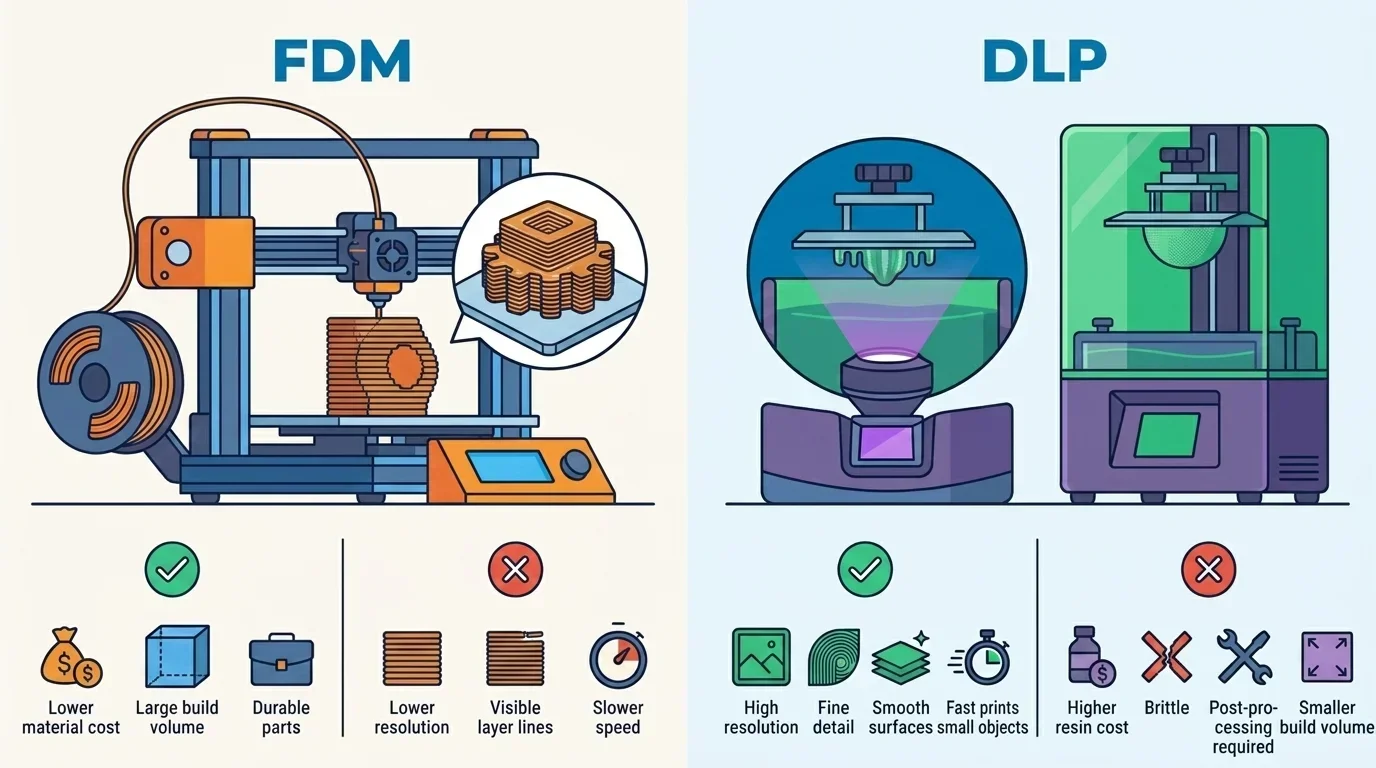
Illustration comparing FDM and DLP 3D printing technologies, highlighting differences in build volume, print resolution, and material cost. Understanding these distinctions aids in selecting the appropriate method for specific applications.
Some categories produce clear winners. DLP delivers superior visual quality and feature resolution. FDM provides broader material flexibility and lower operating costs.
The broader advantage for most hobbyists and semi-professional users still belongs to FDM. Cost, material diversity, larger print capacity, and functional performance align with the projects most makers tackle every week. A workshop producing brackets, enclosures, adapters, and prototypes gains more practical value from thermoplastic filament than from highly detailed resin parts.
Raise3D DF2 DLP Resin 3D Printer Review - Print Quality, Features & Performance Tests - Source (Youtube@VogMan)
FDM vs DLPKey Differences, Summarized
Most buying decisions come down to three factors.
- Material flexibility: FDM supports a wider range of thermoplastics, including flexible, weather-resistant, and engineering-grade materials. DLP offers specialized photopolymers but a narrower overall material ecosystem.
- Detail and surface quality: DLP produces smoother surfaces, finer textures, sharper edges, and better miniature-scale features. FDM can achieve attractive results, though it often requires additional finishing.
- Workflow and cost: FDM generally costs less to operate and involves a simpler process. DLP demands resin handling, washing, curing, and higher consumable expenses.
Choose FDM if you need:
- Functional mechanical parts
- Large-format prints
- Material variety
- Lower operating costs
- Workshop and engineering applications
Choose DLP if you need:
- Miniatures and collectibles
- Dental or jewelry workflows
- Presentation-grade prototypes
- Fine surface textures
- Small, highly detailed models
Still undecided? Ask yourself one question: will the part succeed or fail based primarily on mechanical performance or visual detail?
If mechanical performance matters more, choose FDM. If visual detail matters more, choose DLP.
The next logical step is comparing specific printer models within your budget because machine quality, software ecosystem, and support often influence real-world results as much as the underlying technology.
A simple way to explain the difference to a newcomer is this: FDM builds objects by depositing melted plastic, while DLP creates objects by hardening liquid resin with projected light, and each process excels at a different kind of print.
Senior editor and industry commentator with 15 years covering digital fabrication. Offers informed perspective on the business, ethics, and societal impact of 3D printing, CNC machining, laser machining, and related technologies across guides and industry news.