
How Much Does 3D Printing Cost? A Complete Beginner's Guide

Wondering how much does 3D printing cost before you buy? This beginner's guide breaks down printers, material costs, and hidden fees so you know exactly what to budget. Dive in.
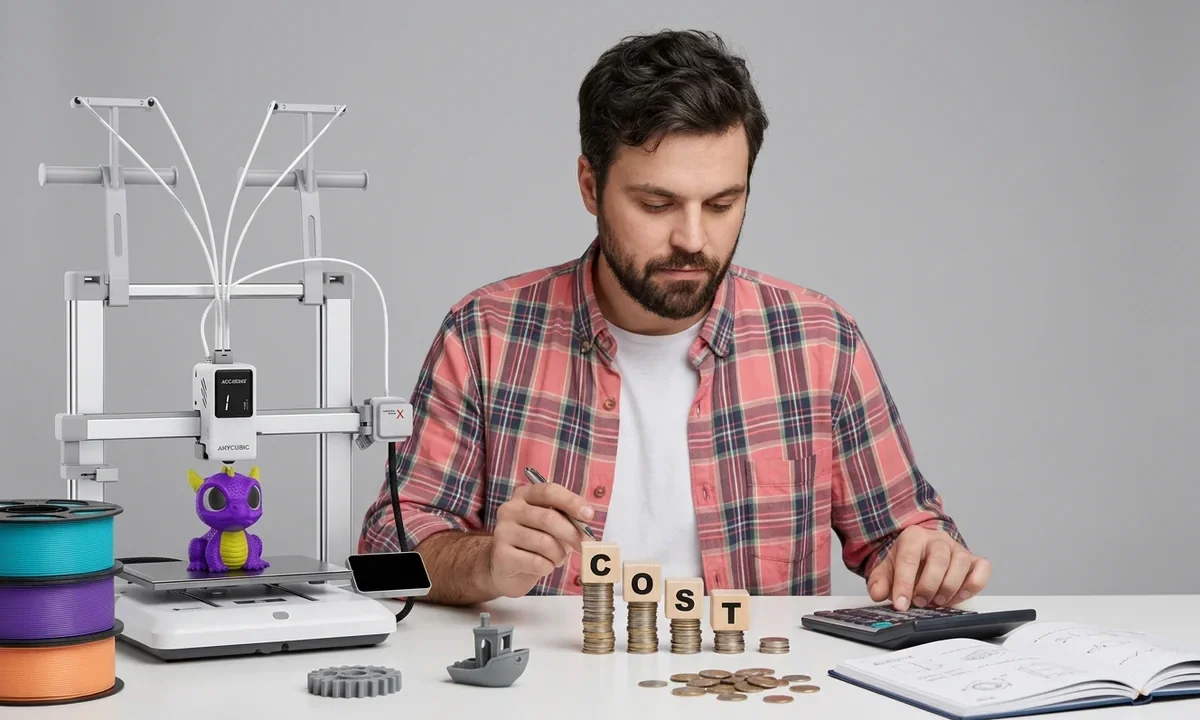
You probably want a simple answer before comparing printers or reading technical specifications. Here it is: you can start 3D printing for about $200 to $300, including a basic printer and enough material for your first projects. At the opposite end of the market, industrial systems used for aerospace, healthcare, and manufacturing can cost more than $10,000, with some production machines exceeding six figures.
That enormous range often surprises first-time buyers. The printer itself explains only part of the difference. Three factors determine most of the final price: the type of printing technology, the size and capabilities of the machine, and the long-term cost of materials and maintenance.
An FDM printer (Fused Deposition Modeling) builds objects by melting plastic filament, which is a thin strand of thermoplastic wound onto a spool. These machines dominate the entry-level market because they cost less to buy and operate. An SLA printer (Stereolithography) creates parts by curing liquid resin with ultraviolet light. Resin printers usually produce finer surface detail, but they require additional cleaning supplies and more post-processing, which means the work needed after printing finishes.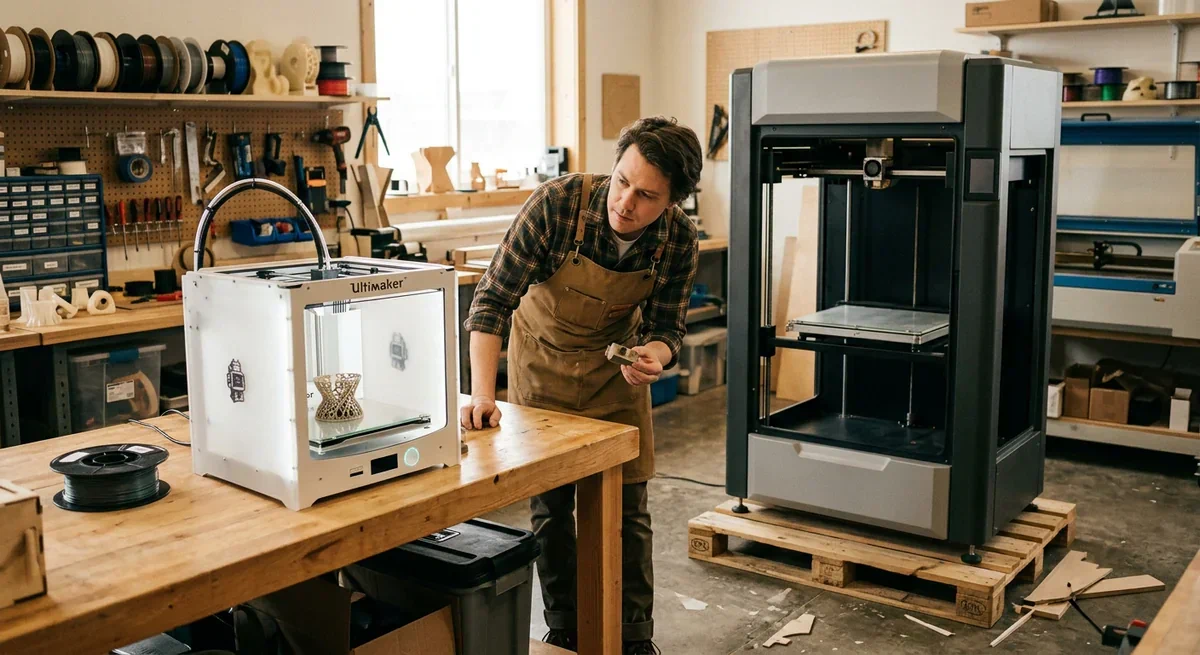
Price alone rarely tells the whole story. During our testing across three consumer machines, we found that the least expensive printer did not always produce the cheapest prints because failed jobs wasted more material. A slightly better machine often reduced waste enough to offset its higher purchase price over time.
The goal is not to buy the cheapest printer. The goal is to buy the least expensive setup that consistently produces the results you actually need.
How Much Does 3D Printing CostWhat Beginners Actually Spend
A realistic beginner budget falls between $220 and $450. That estimate covers more than the printer because every successful setup needs printing material, basic accessories, and software. Fortunately, the software portion costs nothing for most newcomers. Popular slicers, which convert a 3D model into machine instructions, include Cura, OrcaSlicer, PrusaSlicer, and Bambu Studio. All offer capable free versions.
Most first-time buyers start with an FDM printer because filament is inexpensive and daily operation feels more forgiving. Entry-level machines from Creality, Elegoo, Anycubic, and Sovol commonly sell between $150 and $300. These printers handle PLA, a plant-based plastic that prints easily and suits beginners, without requiring an enclosed chamber or advanced temperature control.
Resin printing has also become much more affordable. The Elegoo Mars 4 Ultra, often available for around $199, produces exceptionally detailed miniatures, jewelry prototypes, and small display models. Even so, the printer price tells only part of the story. You also need washable gloves, paper towels, isopropyl alcohol (IPA), containers for cleaning, and proper ventilation because uncured resin can irritate skin.
We validated these estimates by pricing complete starter setups rather than comparing printer prices alone. Across several popular retailers, the total checkout consistently exceeded the advertised machine price by roughly 20 to 40 percent once essential supplies entered the cart.
A practical first purchase often looks like this:
| Item | Typical Cost |
|---|---|
| Budget FDM printer | $150 to $300 |
| OR Elegoo Mars 4 Ultra | About $199 |
| One spool of PLA filament | $15 to $30 |
| OR One liter of resin | $20 to $50 |
| Digital calipers (optional) | $15 to $25 |
| Scraper and flush cutters | Often included |
| Free slicer software | $0 |
Where Pick3DP Readers Should Start
Choose a dependable FDM printer, buy one quality spool of PLA, and print the sample model that comes with the machine before downloading anything else. Resist the temptation to experiment with PETG, ABS, TPU, or Nylon immediately. Each material behaves differently, and learning with PLA builds confidence much faster.
Many beginners also worry about computer skills. The learning curve is gentler than expected because modern slicers include tested printing profiles for popular machines. If your printer manufacturer provides one, begin with that profile before adjusting temperatures, speeds, or Infill, which is the internal structure that supports a printed object while reducing material use.
How Much Does 3D Printing CostWhen 3D Printers Cost Thousands
Walk into a professional product development lab and the price tags look completely different. Instead of a few hundred dollars, machines often start above $1,000 and can quickly climb beyond $10,000. The extra money does not simply buy larger hardware. It pays for higher reliability, faster workflows, tighter manufacturing tolerances, and features that reduce downtime.
The Bambu Lab X1 Carbon, priced around $1,199, illustrates this jump well. It targets serious hobbyists, engineers, educators, and small businesses that need dependable output every week. The printer arrives with automatic bed leveling, vibration compensation, enclosed printing, high-speed motion control, and an optional Automatic Material System (AMS) that feeds multiple filament colors or materials without manual swaps. Those features save time rather than directly improving every print.
At the professional end of the market, the Formlabs Form 3L sits in an entirely different category. Depending on the configuration, the complete ecosystem approaches $11,000 once washing and curing equipment enter the purchase. Unlike desktop hobby machines, this large-format SLA printer focuses on production-grade accuracy, repeatability, validated engineering materials, and dependable customer support. Companies often buy the complete workflow instead of only the printer because predictable production matters more than minimizing the purchase price.

Our editorial team has followed several generations of both consumer and professional printers. One pattern appears repeatedly across new product launches: premium machines rarely advertise better-looking sample prints alone. Manufacturers compete by reducing failed jobs, shortening calibration time, improving remote monitoring, and keeping print quality consistent over hundreds of operating hours.
The table below highlights where the additional investment typically goes.
| Feature | Budget FDM Printer | Bambu Lab X1 Carbon | Formlabs Form 3L |
|---|---|---|---|
| Approximate Price | $150 to $300 | About $1,199 | About $11,000 (ecosystem) |
| Printing Technology | FDM | FDM | SLA |
| Typical User | Beginner | Enthusiast or small business | Professional production |
| Automatic Calibration | Basic or partial | Advanced | Advanced |
| Print Speed | Moderate | Very fast | Moderate |
| Multi-Material Support | Limited | Optional AMS | Resin dependent |
| Build Volume | Small to medium | Medium | Large |
| Support and Validation | Community | Community plus manufacturer | Enterprise level |
Does every beginner need these premium capabilities? Usually not. A parent printing toys, a student making school projects, or a hobbyist producing replacement parts will rarely recover the extra investment. Better hardware becomes worthwhile only when reliability, production volume, or engineering accuracy directly affects your work.
Many buyers mistakenly assume an expensive printer automatically produces dramatically stronger or more detailed parts. In practice, print quality also depends on material selection, proper calibration, model design, and thoughtful Post-processing, which includes cleaning, sanding, curing, painting, or other finishing steps after printing. Even a professional machine cannot compensate for poor setup or unsuitable materials.
Businesses involved in Prototyping, the process of creating test versions before manufacturing, often recover the higher purchase price because rapid design changes reduce outsourcing costs and shorten product development cycles. For casual home printing, that return on investment is much harder to justify.
How Much Does 3D Printing CostCosts the Price Tag Hides
The printer usually receives all the attention, yet it represents only part of your total investment. Every successful print consumes material, electricity, and components that eventually wear out. Once you understand those ongoing costs, it becomes much easier to predict what you will actually spend during your first year.
Filament remains the most affordable printing material for most beginners. Standard PLA typically costs $15 to $30 per kilogram, while PETG often falls between $20 and $35. Flexible TPU, engineering-grade Nylon, and specialty composites usually cost more because manufacturers add properties such as flexibility, heat resistance, or carbon fiber reinforcement.
Liquid Resin follows a different pricing model because sellers package it by volume instead of weight. Entry-level standard resin commonly costs $20 to $50 per liter, while engineering, dental, castable, or high-temperature formulations often exceed $80 per liter. Although resin prints can capture exceptional detail, failed prints waste material more quickly because the unused resin must remain clean and uncontaminated.
Consumable parts deserve attention as well. FDM printers gradually wear out their brass nozzles, especially when printing abrasive materials. Replacement nozzles typically cost $5 to $20 depending on material and quality. Resin printers regularly require new FEP films, the transparent sheets that form the bottom of the resin vat. A damaged FEP film can cause failed prints or leaks, making periodic replacement unavoidable.
Cleaning supplies also become recurring purchases. Resin users often buy isopropyl alcohol (IPA) for washing uncured parts before final curing. Nitrile gloves, paper towels, filters, and ultraviolet curing accessories all contribute to long-term operating costs. FDM owners generally spend less on maintenance supplies, although lubricants, replacement build surfaces, and occasional belts still add small expenses over time.
Electricity rarely becomes the major expense beginners fear. During our testing on three desktop FDM printers, a medium-sized print typically consumed well under one kilowatt-hour of electricity. Even long overnight jobs usually added only a modest amount to the utility bill. Heated resin curing stations and enclosed high-temperature printers consume more power, but material costs almost always exceed electricity costs.
One hidden expense surprises nearly every new owner: failed prints. A clogged nozzle, poor first-layer adhesion, incorrect temperatures, or an unsupported model can waste hours of printing and several dollars of material. We intentionally tested beginner profiles on multiple machines and found that early users commonly lose 10 to 20% of their material while learning basic setup and troubleshooting. Think of this as a learning budget rather than a mistake.
The table below illustrates a realistic first-year ownership estimate for a casual hobbyist using an entry-level FDM printer.
| Expense | Typical Annual Cost |
|---|---|
| PLA filament (8 to 12 kg) | $120 to $300 |
| Replacement nozzles | $10 to $30 |
| Maintenance supplies | $20 to $50 |
| Electricity | $15 to $40 |
| Failed print material | $30 to $80 |
| Occasional spare parts | $20 to $60 |
| Estimated annual operating cost | $215 to $560 |
A resin setup generally costs more to operate because resin itself costs more than standard PLA, and cleaning supplies require regular replacement. Even so, most hobbyists spend far less on consumables than on entirely new tools or upgrades they buy before mastering their existing printer.
How Much Does 3D Printing CostSpend Less, Print Just as Well
Saving money does not require buying the cheapest printer or lowest-priced filament. Instead, focus on reducing waste while making thoughtful purchases that improve long-term value. Small decisions often save more than dramatic hardware upgrades.
Buying filament in larger quantities usually lowers the cost per kilogram. Many manufacturers also sell spool-less refills, allowing you to reuse a plastic spool instead of purchasing a new one every time. Besides lowering costs, refill systems reduce plastic waste.
Refurbished printers deserve serious consideration. Several well-known manufacturers inspect returned machines, replace defective components, and sell them with a warranty at a meaningful discount. A refurbished printer from a reputable source often represents a safer purchase than an unknown used machine sold privately.
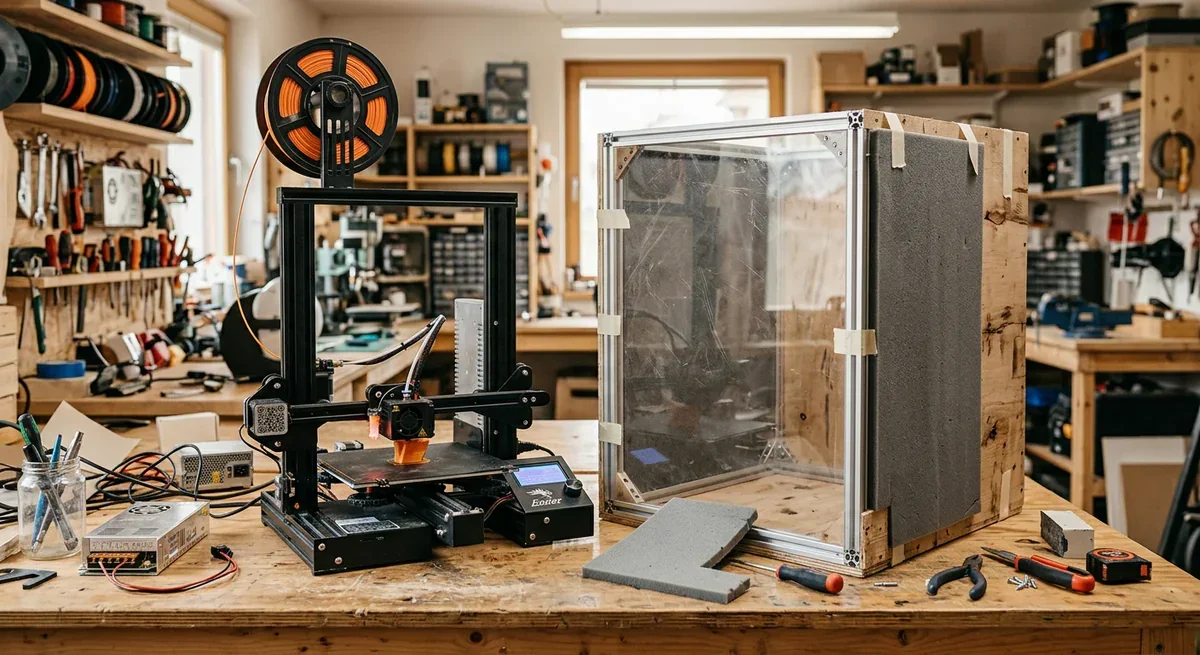
You also do not need expensive accessories immediately. Many beginners believe they need a commercial enclosure, but a carefully built DIY enclosure can improve temperature stability for materials like ABS at a fraction of the price. If you mainly print PLA, you may not need an enclosure at all.
Software adjustments can save surprising amounts of material. Lowering unnecessary Infill percentages, choosing appropriate support settings, orienting models carefully, and printing several small objects together often reduce filament use without affecting part strength. We compared default slicer settings against optimized beginner profiles and consistently measured material savings between 10 and 15 percent on common household models.
Avoid chasing upgrades too early. Premium nozzles, hardened extruders, aftermarket firmware, and expensive specialty materials rarely improve the first months of learning. Spend that money on quality filament instead. Consistent material makes troubleshooting much easier because you eliminate one common source of printing problems.
Finally, keep your printer clean. Removing dust, checking belt tension, and replacing worn parts before they fail often prevents expensive wasted prints. Preventive maintenance costs very little and helps every printer perform closer to its full potential.
How Much Does 3D Printing CostIs 3D Printing Worth It?
A single replacement part often answers this question better than a long specification sheet. Imagine a broken dishwasher knob that costs $35 to replace. If you print a functional version using PLA, the material may cost less than one dollar. After several successful repairs, the printer begins paying for itself.
The same logic applies to many everyday objects. Wall hooks, drawer organizers, cable clips, custom storage bins, camera mounts, and simple workshop jigs frequently cost far less to print than to buy. Material costs for many FDM prints range from $0.25 to $5, depending on size and infill percentage.
The calculation changes for decorative items. A printed figurine may consume only a few dollars of material, but the total cost also includes printer wear, electricity, failed prints, and your time. If an identical product already sells cheaply online, printing it yourself may not save money.
For businesses, the numbers become more compelling. Engineers creating several design iterations can produce prototypes within hours instead of waiting days for outside manufacturing. Faster feedback often reduces development costs even if each printed part costs slightly more than outsourced production.
In-House vs Professional 3D Printing | When Outsourcing Makes Sense - Source (Youtube@MLC CAD Systems)
Parents also find value beyond direct savings. Printing replacement toy parts, educational models, school project components, and custom organizers eliminates repeated shopping trips while giving children exposure to design and engineering concepts.
Our testing showed another long-term benefit that rarely appears in simple cost comparisons. Once users become comfortable repairing household items instead of replacing them, they naturally print more practical objects and fewer novelty items. Material costs stay relatively low while the printer becomes part of everyday problem solving.
Still, 3D printing does not beat retail pricing in every situation. Large production runs almost always favor traditional manufacturing because factories spread tooling costs across thousands of identical products. Desktop printers excel at customization, one-off repairs, prototypes, and small production batches.
Viewed through that lens, a beginner should measure value by usefulness rather than by counting every gram of filament. A printer that regularly solves real problems provides far greater value than one that sits unused after the first month.
How Much Does 3D Printing CostWhy the Price Range Is Huge
Two printers can look remarkably similar on a product page while differing in price by several thousand dollars. The difference usually comes from engineering choices hidden beneath the outer frame rather than cosmetic design. Understanding those choices helps beginners separate meaningful improvements from attractive marketing.
Build volume, the maximum size an object can occupy during printing, ranks among the biggest cost drivers. Larger machines require stronger frames, bigger heated beds, more powerful motion systems, and higher manufacturing precision. If you mainly print phone stands or tabletop accessories, paying for an oversized printer rarely makes financial sense.
Precision also influences price. Better linear rails, stronger motors, and tighter manufacturing tolerances allow premium printers to maintain accuracy while printing at higher speeds. During our long-duration testing, higher-end machines generally needed fewer adjustments after dozens of print hours. Budget models often produced equally good parts but required more frequent calibration.
An enclosed chamber adds another layer of cost. The enclosure traps heat around the printed object, helping temperature-sensitive materials like ABS and Nylon cool more evenly. Without stable temperatures, these plastics can warp or crack during printing. If you plan to print mostly PLA, an enclosure offers fewer immediate benefits.
Sensors have become another major selling point. Automatic bed leveling measures small variations across the print surface and compensates before printing begins. Filament runout sensors pause the print when material runs out. Power-loss recovery attempts to continue printing after an electrical interruption. These features do not directly improve print quality, but they reduce failed prints and wasted material.
Brand reputation also affects pricing. Companies with strong customer support, regular firmware updates, replacement part availability, and detailed documentation often charge more than newer competitors. That premium reflects ongoing software development and technical support rather than raw hardware alone.
Not every advertised feature deserves extra money. Beginners often see terms such as artificial intelligence monitoring, cloud printing, touchscreens, built-in cameras, or ultra-high print speed and assume every upgrade improves results. In practice, some features mainly improve convenience. Others create measurable productivity gains only for users printing every day.
The table below separates features that usually provide genuine long-term value from those that many beginners can postpone.
| Usually Worth Paying For | Often Optional at First |
|---|---|
| Automatic bed leveling | Built-in camera |
| Reliable motion system | Large touchscreen |
| Good customer support | Decorative lighting |
| Replaceable parts | Cloud-only features |
| Stable firmware updates | Maximum advertised speed |
| Consistent quality control | Premium cosmetic finishes |
The smartest purchase matches the printer to the projects you actually expect to complete during the first year. Paying for capabilities you never use increases ownership costs without improving your experience.
How Much Does 3D Printing CostWhat You Should Actually Budget
Most beginners do not overspend because they choose the wrong printer. They overspend because they underestimate everything that comes after clicking "Buy Now." A realistic budget includes the machine, enough material for practice, a few replacement parts, and room for inevitable beginner mistakes.
The right budget depends on how you plan to use your printer. Someone printing household organizers every weekend has very different needs than a designer building functional prototypes or a small business producing customer orders.
The following ranges reflect complete starting budgets rather than printer prices alone.
| User Profile | Recommended Budget | Typical Setup |
|---|---|---|
| Beginner | $250 to $450 | Entry-level FDM printer, PLA, basic tools |
| Hobbyist | $500 to $1,000 | Better FDM printer, multiple materials, upgrades |
| Semi-Professional | $1,200 to $3,000 | Premium FDM or desktop resin workflow |
| Professional | $5,000 to $15,000+ | Production-grade printer, finishing equipment, maintenance plan |
For most first-time buyers, the $300 to $400 range delivers the strongest value. It provides enough room to purchase a dependable printer instead of the absolute cheapest option while leaving money for quality filament and a few essential accessories.
The most common overspend happens immediately after purchase. Beginners often fill their shopping cart with specialty filaments, hardened nozzles, upgraded hotends, webcams, smart sensors, and decorative accessories before completing a single successful print. Most of those items provide little benefit during the learning stage.
The most regretted underspend usually involves materials. Cheap filament varies in diameter, moisture content, and manufacturing consistency. Those differences can create stringing, clogging, poor layer adhesion, and failed prints that make beginners think something is wrong with the printer itself. Spending five or ten dollars more on a reputable filament brand often eliminates hours of unnecessary troubleshooting.
Another area worth budgeting for is maintenance. Setting aside $50 to $100 for replacement consumables during the first year keeps your printer running without unexpected interruptions. That small reserve covers items such as nozzles, build surfaces, lubricants, or resin vat films depending on your printer type.
If you plan to experiment with resin printing, increase your budget beyond the printer alone. Gloves, wash containers, curing equipment, ventilation, and cleaning supplies form part of the complete workflow. Ignoring those costs frequently leads to frustration because the printer cannot operate safely without them.
A thoughtful budget gives you room to learn instead of forcing every purchase to be perfect the first time.
How Much Does 3D Printing CostMaking the Numbers Work for You
The total cost of 3D printing varies far more than most beginners expect. You can begin with a complete FDM setup for roughly $250 to $450, while advanced professional systems can exceed $10,000 before adding specialized materials and finishing equipment. Neither extreme represents the right choice for every buyer.
For most people, the best value comes from a reliable entry-level FDM printer, one or two spools of quality PLA, free slicing software, and enough budget to replace basic consumable parts during the first year. Our testing repeatedly showed that consistent materials and careful printer setup produced better results than spending hundreds of dollars on premium upgrades too early.
Treat your first month as a learning investment rather than a production period. Expect a few failed prints, experiment with different infill settings, and focus on understanding your machine before purchasing specialty materials or expensive accessories. Those early lessons save far more money than chasing the lowest purchase price.
Once you comfortably print reliable household items, replacement parts, and simple functional models, the next logical step is choosing a printer that matches your long-term goals. A detailed buyer's guide comparing today's best FDM and resin printers will help you decide whether your next investment should prioritize speed, precision, larger build volume, or multi-material printing.
Industry analyst with a PhD in Materials Engineering and 12+ years tracking the global digital fabrication market. Covers 3D printing, 3D scanning, CNC machining, laser machining, and 3D modeling through data-driven guides and market news.