
Customized 3D Printed Items: How to 3D Print Naruto

Explore the exciting world of 3D printing with our comprehensive guide on creating custom Naruto-themed items. This article provides step-by-step instructions, materials needed, and expert tips, making it perfect for anime enthusiasts and DIY hobbyists eager to bring their favorite characters to life. Whether you're printing for personal enjoyment or as a unique gift, this guide will help you achieve professional-quality results with ease.
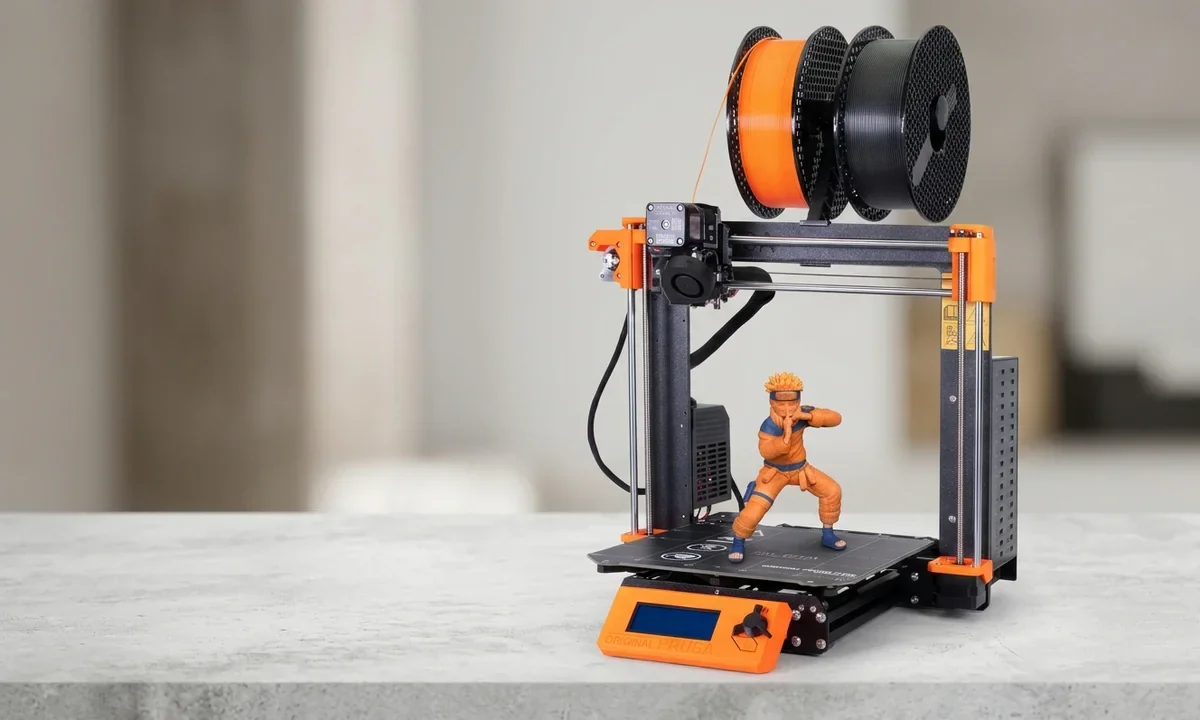
The first Naruto figure I ever tried to 3D print looked like it had gone through one of Pain's Chibaku Tensei battles and lost. The support structures fused with his headband, the resin cured unevenly, and the orange of his jumpsuit came out blotchy and sad.
I nearly gave up right there. But a few tweaks - different slicer settings, better support placement, and a weekend of trial and error - turned that disaster into a figure I still keep on my shelf today.
Printing anime models isn't as simple as dropping an STL into Cura and pressing "go." If you want a Naruto model that actually looks like Naruto, there are a dozen small decisions that matter.
What follows isn't theory. It's the process I use now whenever I want to 3D print Naruto characters - whether it's a small keychain for a friend, a detailed bust for my display cabinet, or a full-size kunai prop for cosplay.
Step 1: Pick the Right Naruto Model File
Most people mess up right at the start by grabbing the first free STL they find on Thingiverse. I've done it, too. The problem is anime figures are highly detailed - hair spikes, headbands, folds in clothing - and free files often simplify or butcher those details.
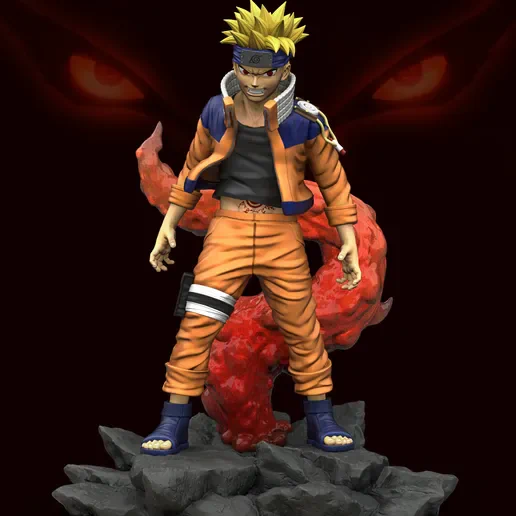
Source: images.cults3d.com
Spend time browsing places like MyMiniFactory, Cults3D, or CGTrader. Look for models tagged specifically as "Naruto" or "anime." A decent fan-sculpted bust costs around $10-$20, but it's worth it. Paid models usually come with pre-supported resin versions or multiple poses.
Tip: Read the comments before buying. If people mention "fragile supports" or "hair spikes didn't print well," believe them. It'll save you hours of sanding.
Step 2: Decide Resin or FDM Printing
Naruto's designs have a lot of fine lines - whisker marks on his cheeks, folds in his outfit, kanji engravings on scrolls. You'll quickly learn that FDM printers struggle with these tiny features. Sure, you can print a kunai or shuriken on an Ender 3 in PLA for under a dollar of filament, but a detailed figure looks much better in resin.
For resin, something like the Elegoo Mars 4 or Anycubic Photon Mono 2 is affordable and delivers sharp details. For props, though, stick with FDM. My resin-printed kunai snapped the first time I dropped it, while my PLA one survived three conventions.
Rule of thumb: Figures and busts → resin. Props and wearable gear → FDM.
Step 3: Scale Your Model Before Slicing
The first Naruto bust I printed came out hilariously tiny - barely taller than a soda can. I hadn't checked the scale. Most STL files are exported in random units, and slicers don't always interpret them correctly.
Open the model in your slicer (LycheeSlicer for resin, Cura/PrusaSlicer for FDM) and check the dimensions panel. If you want a 15 cm tall bust, set it explicitly. Scaling up is fine, but scaling down too much can erase details - especially the thin lines of Naruto's whiskers or the edges of his headband plate.
Shortcut: If you're unsure of sizing, print a 5 mm slice of the model first. You'll see how the details resolve before wasting a whole bottle of resin.
Step 4: Support Placement is Everything
Anime hair is support hell. Naruto's spiky hair or Sasuke's fringe will collapse if you rely on auto-generated supports. I've learned the hard way - giant clumps fused to hair that took forever to sand off.
Manually place supports under fragile parts: hair tips, kunai edges, scroll handles. Use light supports for thin pieces and medium for heavier parts. Don't be stingy. Resin prints fail more from too few supports than too many.
Pitfall: Avoid placing supports on Naruto's face if possible. Even a tiny pockmark on the cheek whiskers is noticeable.
Step 5: Dial in Your Layer Heights
This is where realism comes in. For FDM, a 0.12 mm layer height strikes a balance between detail and time. For resin, stick with 0.05 mm unless you want insane smoothness at 0.02 (but triple the print time).
Printing Naruto's cloak folds or his sage cloak flames benefits from finer layers. At 0.12 mm FDM, you'll still see lines, but sanding and priming help. Resin, though, captures every little wrinkle straight out of the vat.
Marker: A full 15 cm bust takes around 8-10 hours in resin at 0.05 mm. Double that for FDM at similar size.
Step 6: Don't Rush Curing and Cleaning
The first time I rushed this step, my Naruto figure ended up tacky and warped. After removing a resin print, wash it thoroughly in 91% isopropyl alcohol - two baths, not one. Let it air-dry completely before curing.
Cure under a UV lamp for 2-3 minutes at a time, rotating between cycles. Over-curing makes brittle parts like kunai tips snap easily. Under-curing leaves prints gummy.
Shortcut: If you don't own a wash & cure machine, a salad spinner plus Tupperware of IPA works shockingly well.
Step 7: Sanding and Surface Prep
This part feels tedious, but it separates "3D print" from "collectible." Use 400-600 grit sandpaper for PLA, and sanding sponges for resin. Focus on visible areas like Naruto's face and forehead protector.
Apply a filler primer (Rust-Oleum works fine) in two light coats. This hides layer lines and preps the surface for paint. Don't skip primer - paint sticks horribly to bare resin.
Pitfall: Avoid sanding whisker marks too much. They're shallow and disappear fast.
Step 8: Painting Naruto
This is where the magic happens. For figures, I use acrylic model paints (Vallejo or Citadel). Start with a base coat: orange for his jumpsuit, beige for skin, black for outlines. Work in thin layers, letting each dry fully.
Naruto's eyes are tricky. A fine brush (size 00) and a toothpick for white highlights do wonders. For metallics like kunai blades or the Leaf Village headband plate, Tamiya silver paints look sharp.
Shortcut: If painting isn't your strong suit, print in colored filament. I once made a simple Naruto keychain in orange PLA with a black outline, and it looked decent without a brush ever touching it.
Step 9: Assembly and Gluing
Large props or split models often come in multiple pieces. Use super glue (cyanoacrylate) for resin parts and epoxyfor bigger FDM prints. Always sand contact points slightly before gluing - it gives the adhesive more grip.
If you're making something like Naruto's giant scroll, insert a metal rod inside for support. My first scroll sagged after a week on display because it was hollow PLA without reinforcement.
Time marker: A full bust usually takes 15-20 minutes of assembly, not counting drying time.
Step 10: Add Finishing Touches
Don't underestimate small details. A quick coat of matte varnish protects paint from scratches. Gloss varnish works for eyes and metallics.
If you're making cosplay props, wrap kunai handles in black cloth tape - it feels better in hand and hides layer lines. For scrolls, print faux paper textures and glue them on for realism.
Extra flair: I once embedded a tiny LED in a resin Rasengan print. It glowed faint blue at night and got way more attention at conventions than my painstakingly painted busts.
Step 11: Troubleshooting Common Naruto Prints
You'll fail. Everyone does. Here are the issues I ran into most:
-
Hair spikes breaking off → Increase support density or thicken them slightly in Meshmixer before slicing.
-
Whisker marks vanishing → Don't over-sand. Instead, enhance them with a thin wash of black paint during detailing.
-
Props snapping → Always print kunai, shuriken, or scroll rods at 100% infill or reinforce with rods.
-
Orange jumpsuit looking flat → Layer different shades of orange. A darker tone for shadows makes a huge difference.
Step 12: Sharing and Community Feedback
Printing Naruto isn't just about having a figure - it's about sharing. Post your results on Reddit's r/3Dprinting or anime cosplay groups. Feedback is invaluable. When I shared my first resin Naruto bust, someone pointed out I'd painted the headband symbol backward. Embarrassing, yes, but I never made that mistake again.
Thingiverse and Cults3D also let you upload "Makes," where you post your print of someone else's model. Creators appreciate it, and you'll often get tips directly from the sculptor.
Step 13: When to Go Beyond DIY
Not everything needs to be hand-printed. For life-size cosplay gear, sometimes it's smarter to outsource. Services like Shapeways or local makerspaces can print massive props in one go. I had a 1-meter-long sword printed in nylon for $70 because my Ender couldn't handle the length without splitting it into six pieces.
It's still "your" project - you did the prep and finishing - but outsourcing saves frustration.
Step 14: Cost Breakdown and Real Expectations
Here's what one complete Naruto bust cost me:
-
Paid STL model: $15
-
Resin (Elegoo ABS-like): ~$8 for a 15 cm bust
-
Isopropyl alcohol, primer, paints, varnish: ~$20 (but reusable)
-
Time: About 2 evenings, not counting curing
So, roughly $40-45 total. Compare that to a pre-painted figure off Amazon at $70-100, and you'll see why fans stick with printing. Plus, it's custom - nobody else has your exact paint job.
Step 15: Learn From Each Print
Every failed Naruto print taught me something. Supports too thin? Hair collapsed. Painted too thick? Lost facial features. Rushed curing? Sticky mess. These aren't setbacks - they're checkpoints.
Anime models challenge your patience, but they're also rewarding. When a friend picked up my hand-painted Naruto bust and asked where I bought it, that was the moment it clicked: this hobby isn't just about printing plastic. It's about making something personal from scratch.
Wrapping It Up
3D printing Naruto isn't just another weekend project. It pushes your printer, your painting skills, and your patience. The main trade-off? Resin gives you crisp details but demands careful post-processing. FDM gives you durable props but needs sanding and finishing.
The biggest mistake beginners make is thinking they'll nail it on the first try. You won't. Expect misprints, broken hair spikes, paint smudges. That's normal. But once you've worked through those, you'll end up with something you can hold and proudly say, "I made this." And honestly - that's better than buying any figure off a shelf.
Technical communicator specialising in 3D printing workflows, covering the full content spectrum: foundational guides, step-by-step how-to tutorials, hands-on reviews, curated top picks, troubleshooting solutions, and industry news.
Free Downloads
Loading...

Naruto 3D Printing Model Pack (Copy)
Collection of licensed Naruto character models optimized for 3D printing with print settings and support guides.