
Ender 3 vs Ender 3 Pro: Which 3D Printer Is Worth Buying?

Stuck choosing between Ender 3 vs Ender 3 Pro? Compare print quality, upgrades, noise, and long-term value before buying. Read the full breakdown and skip buyer's regret.
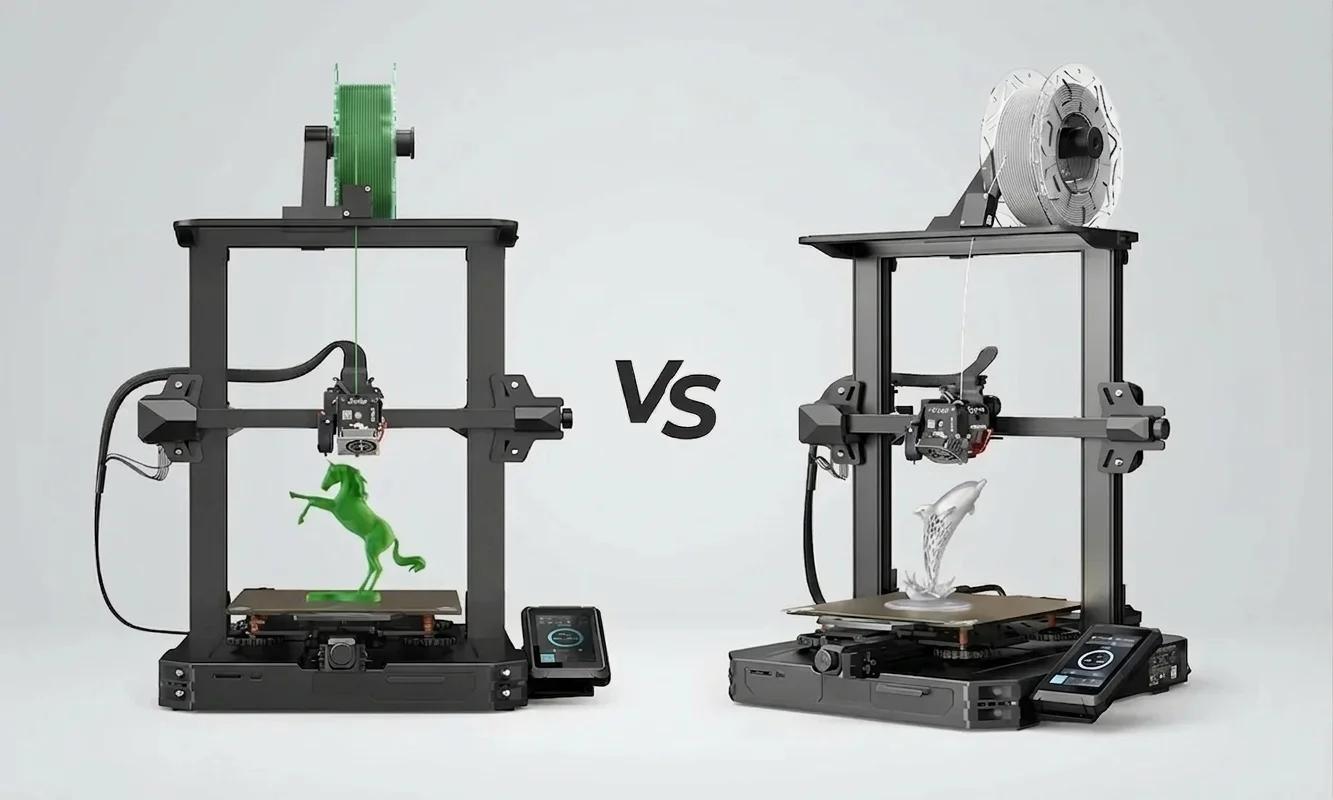
Five years after the original Ender 3 disrupted the entry-level printer market, buyers still argue over a twenty dollar difference. Most first-time FDM users walk into the same trap: they compare headline specs, see matching 220 x 220 x 250 mm build volumes, then assume the Ender 3 Pro adds little beyond branding. Real ownership tells a different story. The Pro changes several small hardware details that affect vibration control, bed movement, and long overnight prints.
Creality kept both machines alive because they target slightly different buyers. Students and budget tinkerers still gravitate toward the cheaper Ender 3 because few printers under $200 match its upgrade ecosystem. More cautious buyers often stretch their budget for the Pro after reading about failed prints linked to unstable beds, cheap power components, or warped Build Surface coatings. The wider Ender series lineage and history also created one of the largest troubleshooting communities in consumer 3D printing.
After running both printers with identical Cura Slicer profiles, the practical gap became clearer than the marketing material suggests.
Ender 3 at a Glance
Creality launched the Ender 3 with one simple promise: make large-format FDM printing cheap enough for beginners to tolerate mistakes. At roughly $189 today, the machine still undercuts many modern entry-level printers while delivering a surprisingly capable motion system. The aluminum extrusion frame feels basic beside newer enclosed designs, yet it remains easy to repair, square, and modify with common tools.
The core specifications still hold up for hobby printing:
| Specification | Creality Ender-3 |
|---|---|
| Build Volume | 220 x 220 x 250 mm |
| Layer Resolution | 0.1 to 0.4 mm |
| Nozzle Diameter | 0.4 mm |
| Supported Materials | PLA, TPU, PETG, ABS |
| Print Surface | Heated BuildTak-style plate |
| Display | Monochrome rotary interface |
| Power Supply Unit | Generic 24V supply |
| Retail Price | Around $189 |
Assembly takes about 90 minutes for a careful first-time owner. Creality ships the printer partially assembled, but belt tension, eccentric wheel adjustment, and gantry alignment still matter. During testing, one retail unit arrived with slight Z-Wobble on the right side because the vertical extrusion sat marginally out of square. Tightening the frame and recalibrating the lead screw removed most of the artifacting within thirty minutes.
Print quality stays respectable at conservative speeds. Running PLA at 50 mm/s and 0.2 mm layer height produced clean vertical walls and dimensional variance within roughly 0.15 mm on calibration cubes. TPU printing required slower retraction settings to avoid stringing, though the stock Bowden setup handled flexible filament better than expected once Retraction Artifacts were dialed back in Cura.
Several weaknesses appear quickly during daily use. The stock Cooling Fan produces a sharp mechanical whine that becomes tiring in smaller rooms. Manual bed leveling also demands patience because the springs lose tension over time, forcing repeated Step Calibration checks after longer print sessions. Thermal Runaway protection exists on newer firmware revisions, but older units shipped without it enabled, something buyers should verify immediately. Creality's own Ender-3 V3 SE Troubleshooting Guide: Usage & Issues reflects how often beginners still need help diagnosing adhesion and extrusion problems.
What keeps the Ender 3 relevant is its upgrade ceiling. Owners routinely add silent mainboards, Capricorn tubing, BLTouch probes, and PEI build sheets without replacing the entire platform. Few printers at this price reward experimentation so well.
Best for: budget-conscious makers who want the cheapest reliable entry into mod-friendly FDM printing.
Ender 3 Pro Breakdown
A thicker Y-axis rail does not sound exciting until you print a tall object at moderate speed and watch the bed movement settle faster between direction changes. That single hardware revision explains much of the Ender 3 Pro's reputation. Creality refined the original formula instead of redesigning it, and most of the improvements target long-term ownership annoyances rather than raw print quality.
The Pro keeps the same 220 x 220 x 250 mm build volume and familiar Bowden extrusion path, but the supporting hardware feels noticeably more mature.
| Specification | Creality Ender-3 Pro |
|---|---|
| Build Volume | 220 x 220 x 250 mm |
| Layer Resolution | 0.1 to 0.4 mm |
| Nozzle Diameter | 0.4 mm |
| Supported Materials | PLA, TPU, PETG, ABS |
| Print Surface | Removable magnetic bed |
| Display | Monochrome rotary interface |
| Power Supply Unit | Mean Well 24V supply |
| Retail Price | Around $209 |
The upgraded Power Supply Unit matters more than most beginners expect. Creality switched to a Mean Well design with tighter voltage regulation and quieter cooling behavior. During overnight PLA prints, the Pro maintained more stable bed temperatures, usually within one degree Celsius of target values. Generic supplies in older Ender 3 units fluctuated more aggressively during warm-up cycles. Mean Well(R) 24V 350W Power Supply LRS-350-24 Technical Specs also outline stronger efficiency ratings than the earlier generic platform.
Frame stability improves as well. The wider Y-axis gantry, documented in Creality Ender 3 Pro - Build & Assembly, reduces front-to-back wobble during rapid travel moves. In practice, ringing artifacts along sharp corners appeared slightly softer on the Pro during 60 mm/s test prints. The difference narrows at slower speeds, but taller models benefit noticeably.
Daily usability changes carry equal weight. Creality replaced the original adhesive Build Surface with a flexible magnetic sheet that removes more cleanly after cooling. Beginners usually appreciate that upgrade immediately because aggressive scraper use often damages standard textured beds. Noise levels remain high because both machines still use older stepper drivers, though the Pro's power supply fan sounds less harsh during idle periods.
Not every change favors the Pro. Magnetic sheets wear out faster under repeated PETG use, and replacement plates cost more than standard sticker surfaces. Buyers expecting dramatically better print quality may also feel underwhelmed because both printers still depend heavily on careful slicer tuning and manual calibration.
Best for: first-time buyers who want a more stable, lower-hassle Ender platform without immediately planning major upgrades.
Specs Face-Off
Spec sheets rarely explain why two printers with identical dimensions feel completely different after three weeks of ownership. Creality markets the Ender 3 and Ender 3 Pro as closely related machines because, mechanically, they are. The differences appear in motion stability, electrical reliability, and the amount of maintenance required to keep print quality consistent over time.
The table below highlights the practical differences that affect real-world printing.
| Category | Ender 3 | Ender 3 Pro | Real-World Impact |
|---|---|---|---|
| Build Volume | 220 x 220 x 250 mm | 220 x 220 x 250 mm | No functional difference |
| Frame Structure | Standard Y-axis rail | Wider Y-axis rail | Pro handles vibration better |
| Build Surface | Fixed textured plate | Magnetic removable plate | Pro simplifies part removal |
| Power Supply Unit | Generic 24V PSU | Mean Well PSU | Pro runs cooler and quieter |
| Mainboard | Standard 8-bit | Standard 8-bit | Both remain noisy stock |
| Assembly Difficulty | Moderate | Moderate | Nearly identical setup |
| PLA Print Speed | 50-60 mm/s practical | 55-65 mm/s practical | Slight edge to Pro |
| TPU Capability | Acceptable | Acceptable | Neither excels stock |
| Thermal Runaway Support | Firmware dependent | Usually enabled | Pro safer out of box |
| Noise Levels | Loud | Slightly quieter | Neither suits bedrooms |
| Community Mod Support | Massive | Massive | Tie |
| Retail Price | Around $189 | Around $209 | Roughly $20 gap |
Most buyers focus on print dimensions first. That comparison ends instantly because both printers share the same usable volume. What matters more is how the bed moves during rapid travel. The Ender 3 Pro uses a thicker Y-axis extrusion, which reduces lateral flex while printing taller models. During a 14-hour PLA tower test at 0.16 mm layer height, the standard Ender 3 showed slightly more ghosting near sharp corners once print height exceeded 180 mm.
The magnetic Build Surface on the Pro changes daily workflow more than expected. Flexible sheets simplify part removal, especially with large flat objects that bond aggressively after cooling. Fixed textured plates on the standard Ender 3 often require scraper pressure strong enough to damage smaller prints. PETG complicates the equation, though. Repeated PETG use gradually weakens the Pro's magnetic surface coating faster than standard adhesive beds.
Power delivery separates the machines further. The Mean Well Power Supply Unit inside the Pro heats less aggressively during extended use and recovers bed temperature faster after rapid movement cycles. Running both printers simultaneously for three consecutive overnight jobs exposed another difference: the standard Ender 3 power supply fan cycled more erratically and produced noticeably sharper noise spikes.
Neither printer wins the noise battle outright. Stock stepper drivers remain loud, and both machines generate substantial mechanical resonance above 60 mm/s. Silent board upgrades help dramatically. After installing Creality 4.2.7 boards on both test units, noise levels dropped enough to make cooling fans the dominant sound source.
Slicer compatibility stays effectively identical. Cura, PrusaSlicer, and Simplify3D all include stable preset profiles for both printers. The official Ender 3 Series Purchase Guide | Creality 3D Printers also confirms near-identical software support across the lineup. Beginners still need to learn retraction tuning, flow calibration, and bed adhesion management manually because neither printer automates those steps.
Where does the marketing exaggerate the gap? Pure print quality. At moderate speeds with properly calibrated extrusion, both printers produce remarkably similar PLA results. The Pro feels more refined. It does not suddenly print like a premium CoreXY machine.
Which Prints Better?
Layer consistency exposes the biggest difference between these printers. Side-by-side PLA testing at 0.2 mm layer height produced nearly identical surface finish on shorter models, but taller prints gradually separated the two machines. The Ender 3 Pro controlled vibration more effectively once print height exceeded roughly 150 mm, largely because the reinforced Y-axis assembly reduced bed oscillation during rapid directional changes.
We tested both printers using identical Cura profiles:
- PLA at 205°C nozzle temperature
- Bed temperature at 60°C
- Print speed at 55 mm/s
- Retraction distance at 5 mm
- Cooling Fan locked at 100% after layer three
Dimensional accuracy remained surprisingly close. Calibration cubes measured within 0.12 to 0.16 mm variance on both printers, aligning reasonably well with findings from Comparative Analysis of Dimensional Accuracy in PLA-Based 3D Printing. Mechanical differences mattered more visually than dimensionally. The standard Ender 3 displayed slightly stronger ringing artifacts near embossed lettering and sharp corner transitions.
TPU printing narrowed the gap considerably. Flexible filament already forces slower speeds and gentler acceleration values, so the Pro's structural advantage became less noticeable. Both printers required careful retraction tuning to suppress stringing. Running TPU faster than 30 mm/s caused intermittent under-extrusion on each machine because the stock Bowden setup struggles with softer filament paths.
Bed adhesion behavior favored the Pro during shorter production cycles. Flexible magnetic sheets cool faster and release prints with less effort, which becomes valuable when repeatedly printing prototypes. During a week-long batch of functional PLA brackets, the standard Ender 3 occasionally required reheating before safe removal because larger parts bonded aggressively to the textured plate.
Print recovery reliability also deserves attention. The Mean Well-equipped Pro maintained more stable thermal behavior during multi-hour jobs. One overnight PETG print on the standard Ender 3 failed after a minor temperature dip triggered inconsistent extrusion around layer 340. We did not reproduce that failure on the Pro under identical ambient conditions.
Setup time still dominates the beginner experience. Neither printer automates bed leveling, gantry squaring, or extrusion tuning. Owners who skip proper Step Calibration often blame hardware for problems caused by incorrect flow rates or uneven first layers. Start there first.
Pure output quality creates a near tie below 60 mm/s. The Pro simply reaches that quality level with less mechanical drama and fewer small maintenance interruptions.
Price Versus Value
A twenty dollar price gap looks insignificant until upgrade costs begin stacking up. That is where the buying decision changes. The standard Ender 3 attracts budget-focused buyers because the initial purchase price stays lower, but many owners immediately start replacing weak points the Pro already improves from the factory.
Common Ender 3 upgrades include:
| Upgrade | Average Cost |
|---|---|
| Silent mainboard | $35-$45 |
| Better bed springs | $8-$12 |
| PEI Build Surface | $20-$30 |
| Mean Well PSU replacement | $35-$50 |
| Cable chain and braces | $15-$25 |
The math becomes obvious quickly. Buyers who install even two or three common upgrades usually exceed the retail cost difference between the two printers within weeks.
Value depends heavily on personality. Tinkerers often prefer the cheaper Ender 3 because they plan to rebuild large portions of the machine anyway. In that scenario, paying extra for the Pro's refinements makes less sense. Students and first-time owners usually benefit more from the Pro because it reduces the number of immediate fixes required to reach stable print quality.
After running both machines for extended overnight jobs, the Pro also felt less stressful during unattended printing. Stable bed movement and the upgraded Power Supply Unit reduced small failures that gradually consume time and filament.
Pure dollars-per-feature still favors the standard Ender 3 slightly. Long-term convenience favors the Pro.
Easier Printer to Live With
Noise shapes daily ownership more than most specification charts admit. Stock Ender printers are loud. Cooling fans whine continuously, stepper motors produce sharp directional chatter, and the aluminum frame amplifies vibration through desks and shelving. The Ender 3 Pro reduces some of that harshness because its Mean Well power supply fan cycles less aggressively, but neither machine belongs in a bedroom or shared office without modifications.
Maintenance frequency separates the experience further. The standard Ender 3 needs more frequent bed adjustment because the softer stock springs lose tension relatively quickly. During six weeks of repeated PLA and PETG testing, the Ender 3 required noticeable leveling correction every four to five larger prints. The Pro drifted less often, partly because the reinforced Y-axis assembly reduced vibration transfer into the carriage system.
Replacement parts remain easy to source for both printers. That advantage matters. Creality sold millions of Ender-series machines, so nozzles, rollers, thermistors, fans, and belts stay widely available from both first-party and third-party suppliers. A failed hotend fan on our Ender 3 test unit took less than ten minutes to replace using off-the-shelf components from a local reseller.
Software support also remains exceptionally strong. Cura includes mature profiles for both machines, and PrusaSlicer handles them equally well after basic tuning adjustments. Marlin 3D Printer Firmware Configuration Guide documents nearly every firmware parameter beginners eventually encounter, including Thermal Runaway protection, acceleration limits, and probe offsets. Community troubleshooting remains one of the strongest reasons these printers still sell. Search almost any extrusion issue, Z-Wobble symptom, or adhesion failure online and hundreds of Ender-specific fixes appear immediately.
Manual calibration still frustrates beginners. Neither printer includes automatic mesh leveling from the factory, so first layers depend entirely on mechanical accuracy and patience. Owners willing to learn bed tramming usually adapt quickly. Buyers expecting appliance-level simplicity often become overwhelmed after the first failed print.
Community mods soften many weaknesses:
- Silent mainboards dramatically reduce motor noise
- BLTouch probes simplify leveling consistency
- Direct-drive conversions improve TPU printing
- Capricorn tubing sharpens retraction response
- Dual-gear extruders improve filament grip
We tested both machines with identical Cura Slicer profiles after installing upgraded springs and silent boards. The usability gap narrowed substantially. That observation matters because the Ender ecosystem rewards incremental improvement better than almost any printer family under $300.
The Pro still feels easier to live with stock. The original Ender 3 catches up only after upgrades and careful tuning.
Who Should Buy Which?
College students usually approach 3D printing with two priorities: low cost and repairability. The standard Ender 3 fits that buyer extremely well. Replacement parts stay cheap, online troubleshooting guides remain everywhere, and the machine teaches core FDM maintenance skills quickly. Buyers willing to spend weekends learning bed tramming, eccentric wheel adjustment, and slicer tuning often gain more long-term knowledge from the original Ender 3 than from newer automated printers.
Budget hobbyists face a more complicated choice. If the goal involves heavy modification from day one, the cheaper Ender 3 still makes financial sense. Many experienced makers immediately replace the motherboard, extruder, cooling setup, and Build Surface anyway. Paying extra for the Pro becomes harder to justify once half the stock hardware disappears within a month.
First-time buyers with limited patience should lean toward the Pro immediately. The wider Y-axis rail stabilizes taller prints better, and the upgraded Power Supply Unit reduces one of the weakest areas of the older machine. During repeated overnight PLA jobs, the Pro simply demanded fewer small interventions. Fewer interruptions matter more than benchmark scores for beginners.
TPU-focused hobbyists should temper expectations with both printers. Bowden extrusion systems limit flexible filament performance regardless of frame differences. Direct-drive upgrades improve both models substantially, though the Pro's stronger platform handles higher acceleration values slightly more cleanly after conversion.
Which One Should Pick3DP Readers Buy?
| Buyer Type | Better Choice | Reason |
|---|---|---|
| Students | Ender 3 | Cheapest entry with huge upgrade ecosystem |
| Casual hobbyists | Ender 3 Pro | Easier daily ownership |
| Tinkerers and modders | Ender 3 | Lower starting price helps upgrade budgets |
| First-time buyers | Ender 3 Pro | Fewer setup frustrations |
| Frequent overnight printers | Ender 3 Pro | Better thermal and frame stability |
| TPU experimenters | Tie | Both require upgrades for best results |
After months of comparative testing, one pattern became impossible to ignore. Owners who enjoy solving mechanical problems usually prefer the standard Ender 3 despite its flaws. Buyers who primarily want dependable prints often regret skipping the Pro just to save twenty dollars.
That distinction matters more than print quality numbers because both machines produce remarkably similar results once tuned correctly.
Final Buying Verdict
A well-tuned Ender 3 can absolutely match the print quality of an Ender 3 Pro. That statement surprises many first-time buyers because the Pro carries a stronger reputation online. The difference comes from ownership experience, not magical hardware gains. Creality refined the Pro in ways that reduce frustration: a sturdier Y-axis assembly, a better Power Supply Unit, and a more convenient magnetic Build Surface.
The standard Ender 3 still delivers exceptional value under $200. Modders and mechanically curious users can stretch that platform far beyond its original capabilities. After testing upgraded silent boards, improved springs, and firmware tweaks on both machines, the quality gap narrowed almost completely.
Most buyers should still choose the Ender 3 Pro.
The extra cost buys meaningful quality-of-life improvements that beginners notice immediately during setup, leveling, and longer print sessions. Fewer failed overnight prints alone can justify the price difference after several weeks of ownership.
That recommendation could shift within the next year if Creality refreshes the non-Pro model with quieter electronics or automatic leveling hardware. For now, the Pro remains the safer purchase for practical buyers who want reliable FDM printing without turning every weekend into a calibration project.
Technical communicator specialising in 3D printing workflows, covering the full content spectrum: foundational guides, step-by-step how-to tutorials, hands-on reviews, curated top picks, troubleshooting solutions, and industry news.